> ## Documentation Index
> Fetch the complete documentation index at: https://docs.novu.co/llms.txt
> Use this file to discover all available pages before exploring further.
# Slack
> Connect your agent to Slack: threading, typing indicators, plan cards, Block Kit, and tool approval.
Use Slack as a messaging channel for your agent. Users can DM or @mention the bot. Novu keeps thread context, shows typing and plan cards during the turn, can attach files on replies, and can post Approve / Deny cards before gated tools run.
## Capabilities
| Capability | Support |
| ------------------------------------------ | ------- |
| Full context history | Yes |
| Threaded replies | Yes |
| Live typing indicator (custom status text) | Yes |
| React with eyes on inbound messages | Yes |
| Plan card (native) | Yes |
| Rich text / Block Kit | Yes |
| Tap-to-respond buttons | Yes |
| Emoji reactions (both directions) | Yes |
| Message edits in place | Yes |
| Action / MCP tool approval | Yes |
| MCP connect card | Yes |
| Resolve conversation | Yes |
| File sharing | Yes |
| Streaming word-by-word | Not yet |
Full matrix: [Channels overview](/agents/channels/overview).
## Examples
### Inbound thread
A user @mentions the agent in a thread. Novu adds an eyes reaction, shows typing and a plan card while the agent runs tools, then replies in the same thread with optional action buttons.
### Tool approval
When a tool is gated, Slack shows a native approval block (**Deny**, **Approve once**, **Always allow this tool**). The handler resumes after the user selects an option.
## Create a Slack app
When the dashboard or CLI asks for a Slack App Configuration Token:
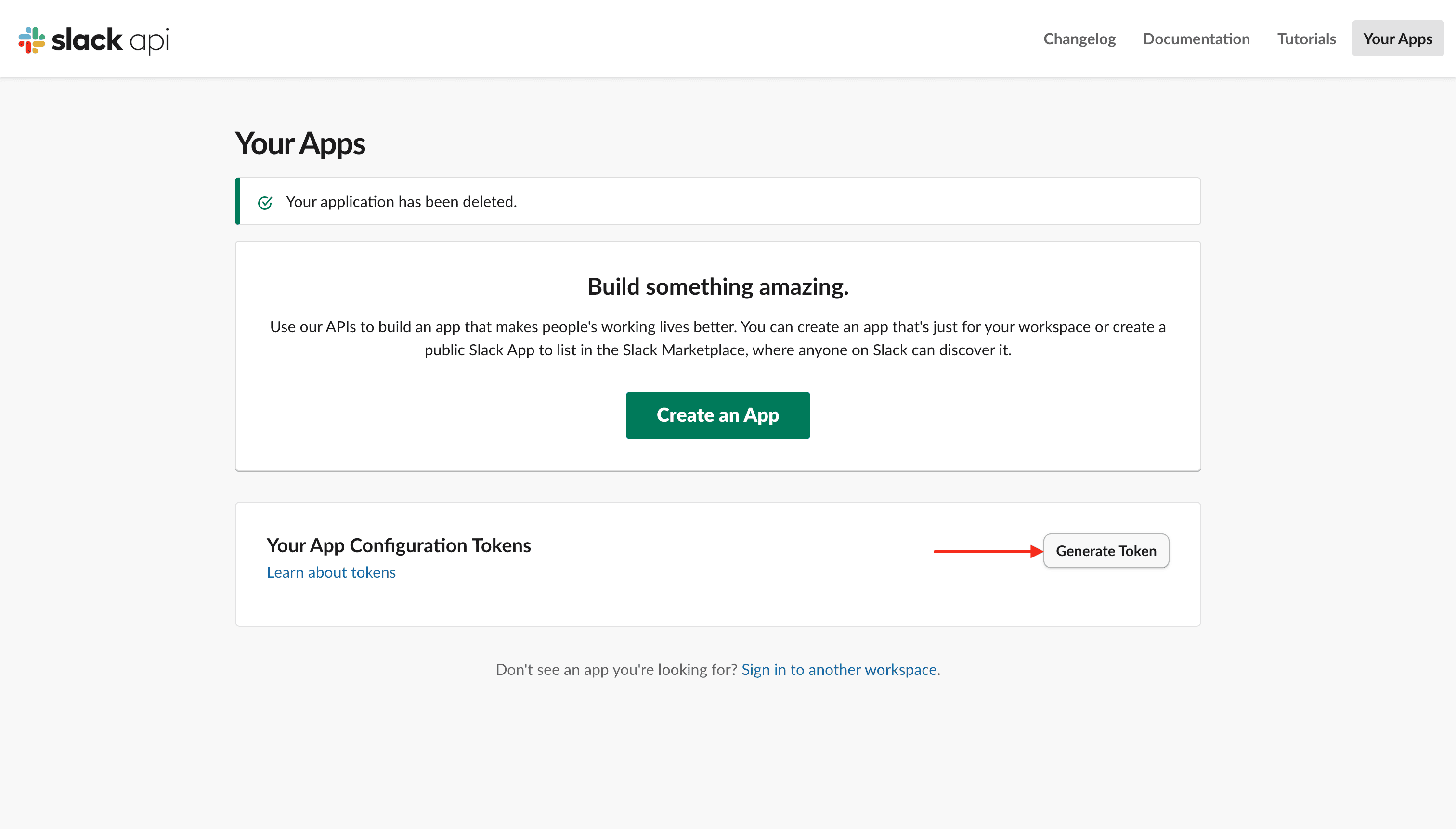
1. Open [Slack API apps](https://api.slack.com/apps).
2. Under **Your App Configuration Tokens**, click **Generate Token**.
 3. Select your workspace and click **Generate**.
4. Copy the token (starts with `xoxe.xoxp-`) and paste it into Novu or the CLI.
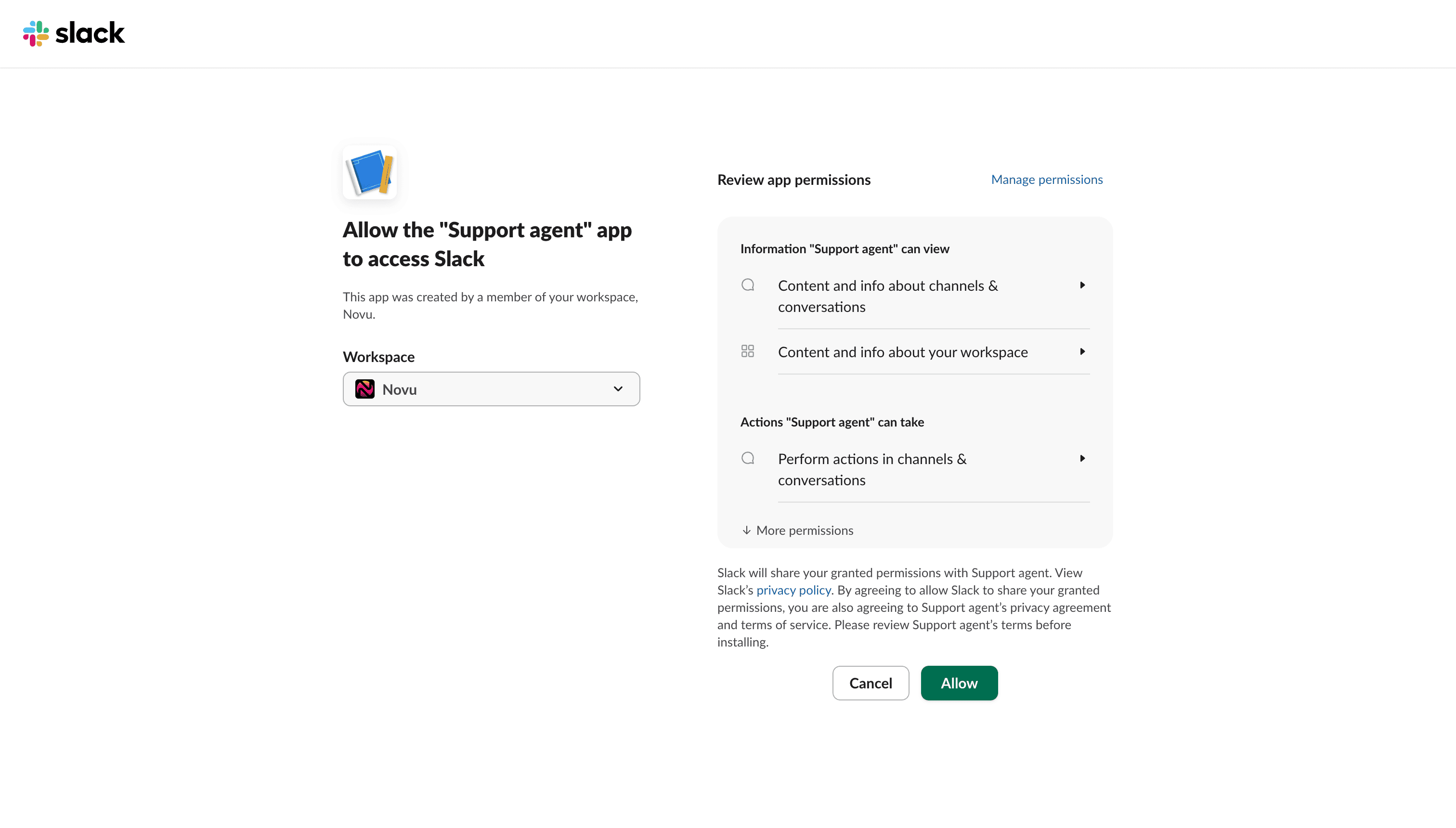
5. Finish the install / Allow flow in Slack.
3. Select your workspace and click **Generate**.
4. Copy the token (starts with `xoxe.xoxp-`) and paste it into Novu or the CLI.
5. Finish the install / Allow flow in Slack.
 The configuration token is used once to create the Slack app. Novu does not store it.
## Setup
| Framework / Platform | Guide |
| ------------------------ | ------------------------------------------------------------------ |
| AI SDK | [Connect AI SDK to Slack](/agents/get-started/ai-sdk) |
| LangChain | [Connect LangChain to Slack](/agents/get-started/langchain) |
| Mastra | [Connect Mastra to Slack](/agents/get-started/mastra) |
| Claude managed agent | [Connect Claude managed agent](/agents/get-started/claude-managed) |
| AWS Claude managed agent | [Connect AWS Claude managed agent](/agents/get-started/aws-claude) |
## Connect component
Use `SlackConnectButton` from `@novu/react` so end users can install the Slack app and link it to your agent from your product UI.
```tsx theme={null}
import { NovuProvider, SlackConnectButton } from '@novu/react';
export function SlackConnect() {
const subscriberId = 'subscriber-id';
const integrationIdentifier = 'slack-integration-identifier';
const agentIdentifier = 'agent-identifier';
return (
{
// Workspace linked
}}
onConnectError={(error: unknown) => {
console.error(error);
}}
/>
);
}
```
Props and appearance options: [Connect components](/agents/custom-code-agent/connect-components#slack-connect-button).
## Related
Plain text, markdown, and interactive cards.
Custom status text while the handler runs.
Approve / Deny before tools execute.
Update a sent message in place.
SlackConnectButton props and appearance.
The configuration token is used once to create the Slack app. Novu does not store it.
## Setup
| Framework / Platform | Guide |
| ------------------------ | ------------------------------------------------------------------ |
| AI SDK | [Connect AI SDK to Slack](/agents/get-started/ai-sdk) |
| LangChain | [Connect LangChain to Slack](/agents/get-started/langchain) |
| Mastra | [Connect Mastra to Slack](/agents/get-started/mastra) |
| Claude managed agent | [Connect Claude managed agent](/agents/get-started/claude-managed) |
| AWS Claude managed agent | [Connect AWS Claude managed agent](/agents/get-started/aws-claude) |
## Connect component
Use `SlackConnectButton` from `@novu/react` so end users can install the Slack app and link it to your agent from your product UI.
```tsx theme={null}
import { NovuProvider, SlackConnectButton } from '@novu/react';
export function SlackConnect() {
const subscriberId = 'subscriber-id';
const integrationIdentifier = 'slack-integration-identifier';
const agentIdentifier = 'agent-identifier';
return (
{
// Workspace linked
}}
onConnectError={(error: unknown) => {
console.error(error);
}}
/>
);
}
```
Props and appearance options: [Connect components](/agents/custom-code-agent/connect-components#slack-connect-button).
## Related
Plain text, markdown, and interactive cards.
Custom status text while the handler runs.
Approve / Deny before tools execute.
Update a sent message in place.
SlackConnectButton props and appearance.