# Inbox Data Object (/platform/inbox/configuration/data-object)
Learn how to use the data object to extend in-app notifications with custom metadata.
The *data object* is a customizable key-value store available in the in-app step. You can use it to extend each Inbox component notification by embedding custom data. The data can then be used to personalize how messages appear in the Inbox component.
## Define the data object
You define the data object inside an in-app step in your workflow on the Novu dashboard.
Each entry is a key-value pair, referred to as a property. You can define up to 10 properties per in-app step. Each property can be:
* **Static**: Fixed values such as "status": "merged" or "icon": "heart".
or
* **Dynamic**: Values derived from subscriber or payload data, such as `{{subscriber.firstName}}` or `{{payload.issueId}}`.
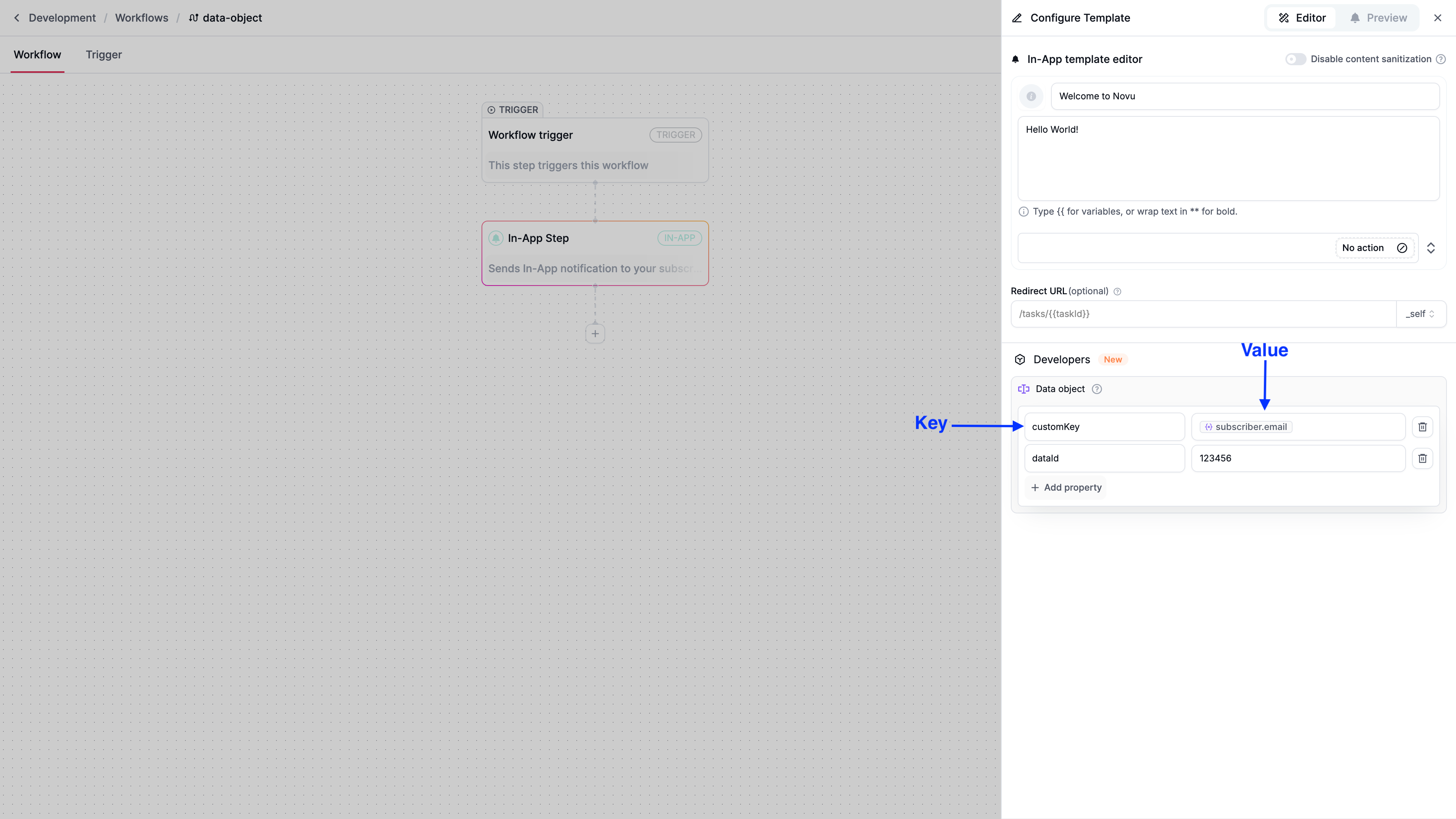
The data object supports only scalar values, such as strings, numbers, booleans, or null. String values are limited to 256 characters. There is a limit of 10 data object properties per in-app step.
## Use the data object in the \
The data object is available on the frontend as `notification.data`. You can use it inside the `renderNotification` function to customize how each notification is displayed.
```tsx
import { Inbox } from '@novu/react';
function NovuDataObject() {
return (
(
{notification.data?.firstName}
{notification.data?.emoji}
)}
/>
);
}
export default NovuDataObject;
```
The data object is included in the client response. Avoid storing sensitive information, such as API keys or passwords, in `notification.data`. Workflow trigger payload may contain sensitive information, so avoid using the complete payload in the data object. Use only required and insensitive payload data in the data object.
### Add type safety (optional)
For TypeScript users, define a NotificationData interface to ensure type safety when accessing `notification.data`.
```tsx
declare global {
interface NotificationData {
reactionType?: string;
entityId?: string;
userName?: string;
}
}
```
This allows TypeScript to infer the structure of `notification.data`, reducing errors when accessing properties.
## Use data object keys as filters for tabs
You can use data object keys as filter for tabs. For more information, refer to [Tabs](/platform/inbox/configuration/tabs#filter-tabs-by-data-attributes).
```tsx
import { Inbox } from '@novu/react';
export default function InboxWithFilters() {
const tabs = [
{
label: 'High Priority',
filter: {
data: { priority: 'high' },
},
},
{
label: 'User Activity',
filter: {
data: { type: 'login' },
},
},
];
return (
);
}
```