# Africa's Talking (/platform/integrations/sms/africas-talking)
Learn how to use the Africa's Talking provider to send sms notifications using Novu
You can use [Africa's Talking](https://africastalking.com/) provider to send SMS messages to your customers using the Novu platform with a single API to create multi-channel experiences.
## Getting Started
To use Africa's Talking provider in the SMS channel, the first step is to create an Africa's Talking account and add your `API Key`, `username` and `Sender's ID` to Africa's Talking integration on the Novu platform.
## Creating a username
You'll need to create an application to create a username in Africa's Talking. To do so, follow the steps below:
* [Sign up](https://account.africastalking.com/auth/register) or [Log in](https://account.africastalking.com/auth/login) to your Africa's Talking account.
* Select the team you want your app to be in.
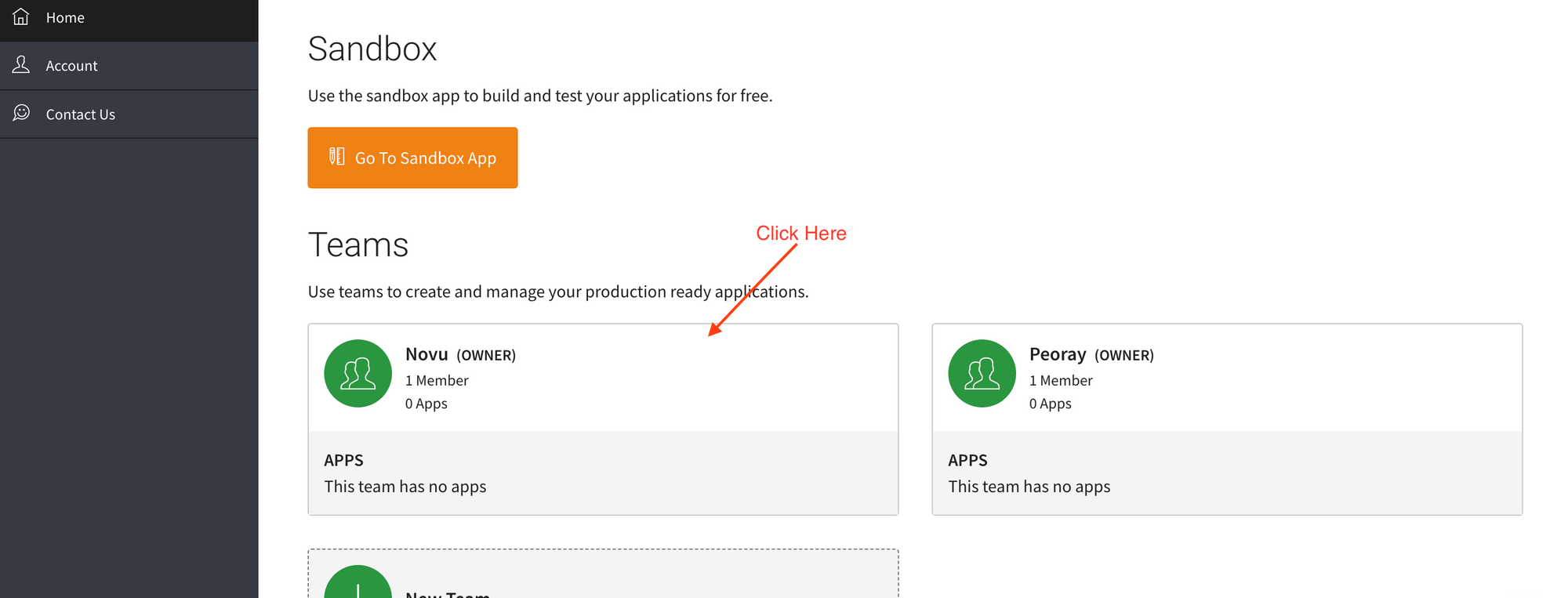 * If you're a new user and don't have a team yet, you'll have to do so by clicking on New Team and entering your team name. Click on Save when you're done.
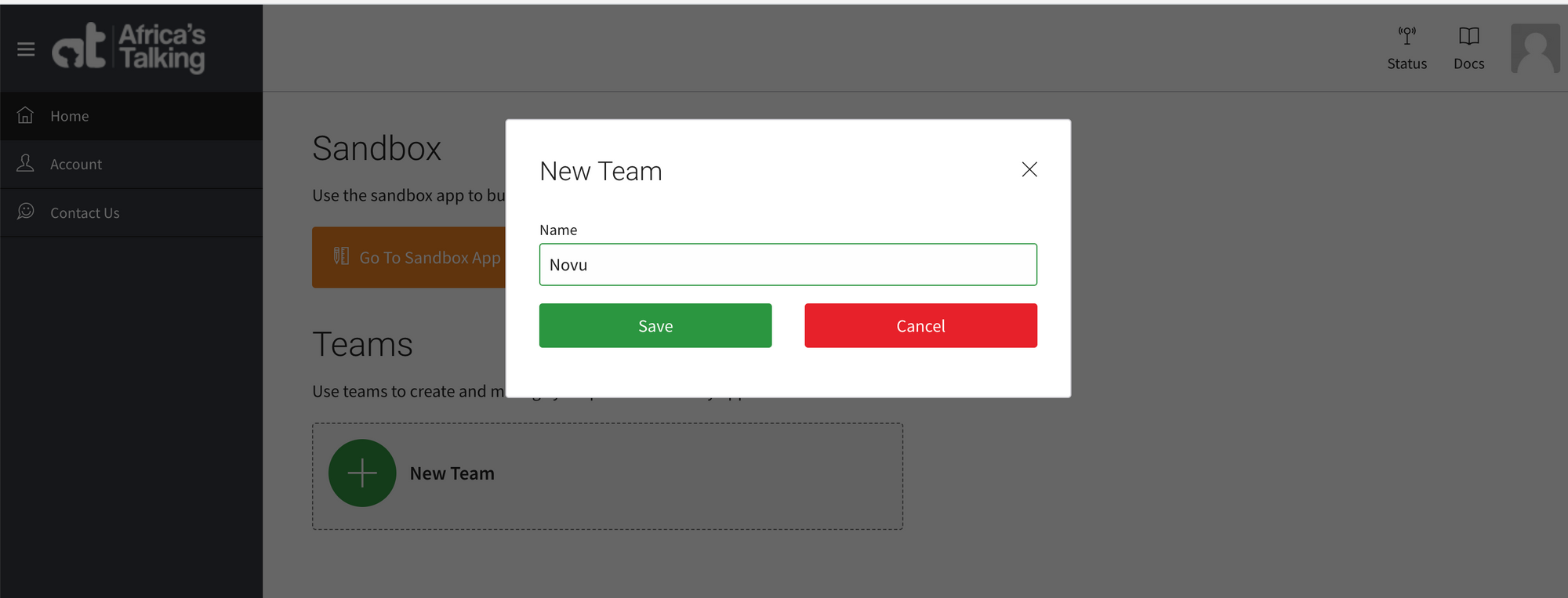 * On the page that appears, click on the Create App button.
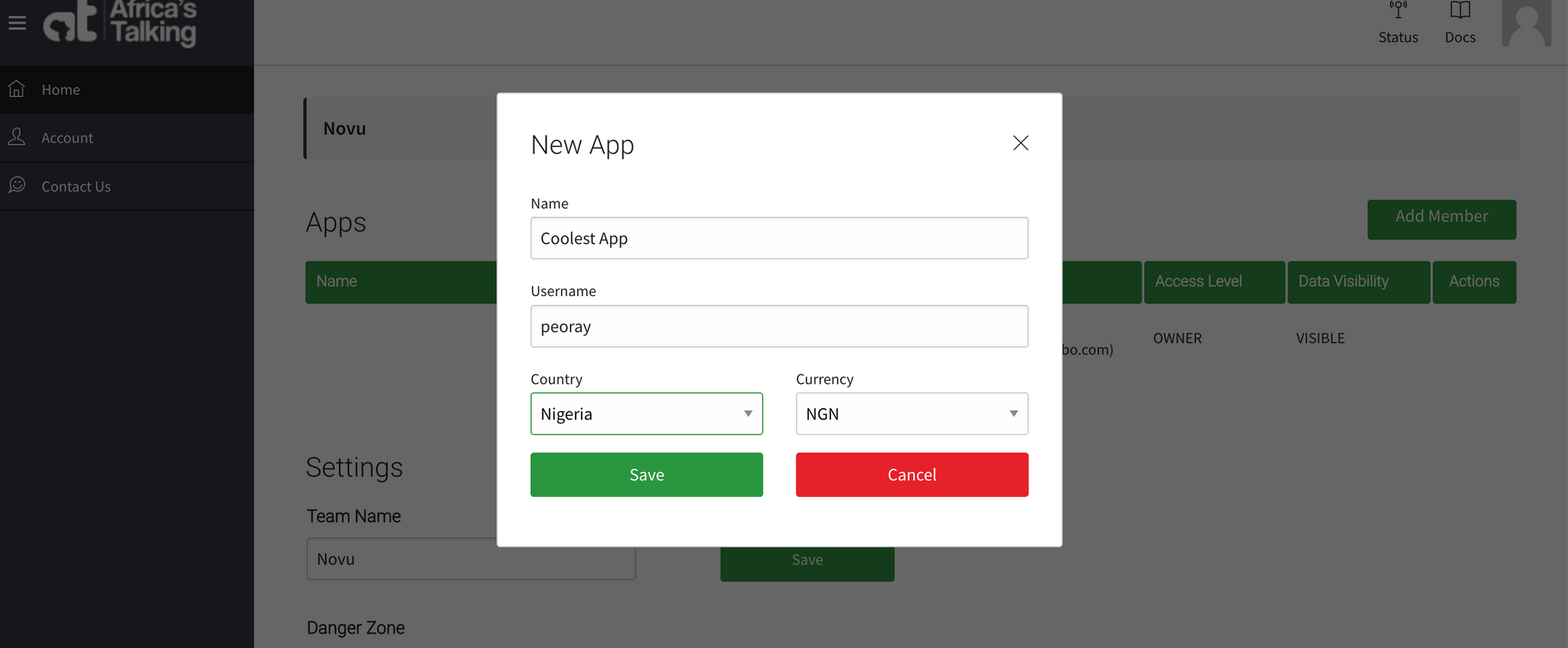
* On the pop-up that appears, enter your application name, username and select a country. Then click Save. The `username` is what you will use on the Novu platform.
* On the page that appears, click on the Create App button.
* On the pop-up that appears, enter your application name, username and select a country. Then click Save. The `username` is what you will use on the Novu platform.
 ## Generating an API key
To generate a new API key, you can follow these steps:
Ensure you have created an app in your team.
* Click on the app you created.
## Generating an API key
To generate a new API key, you can follow these steps:
Ensure you have created an app in your team.
* Click on the app you created. 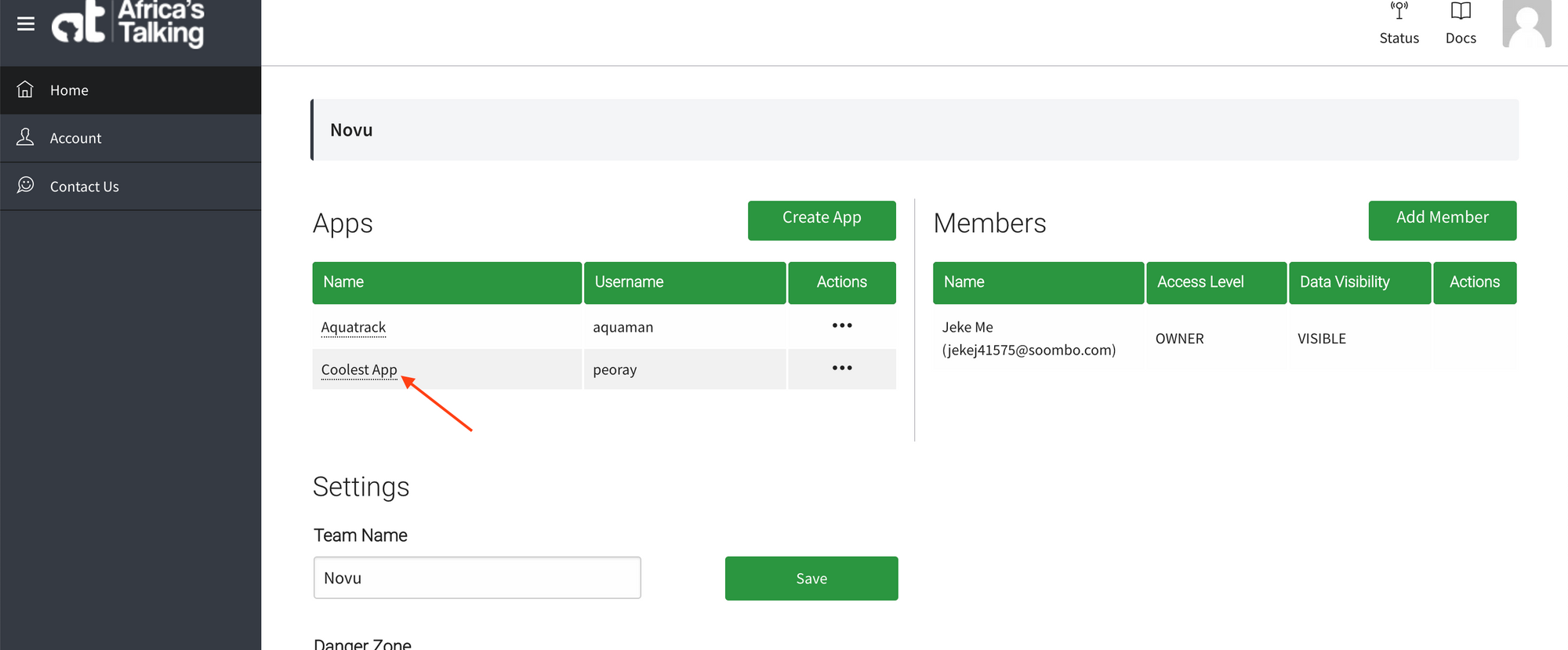 * On the page that appears, click on Settings(on the menu on your left). This will display a dropdown. Click on API Key from the dropdown options.
 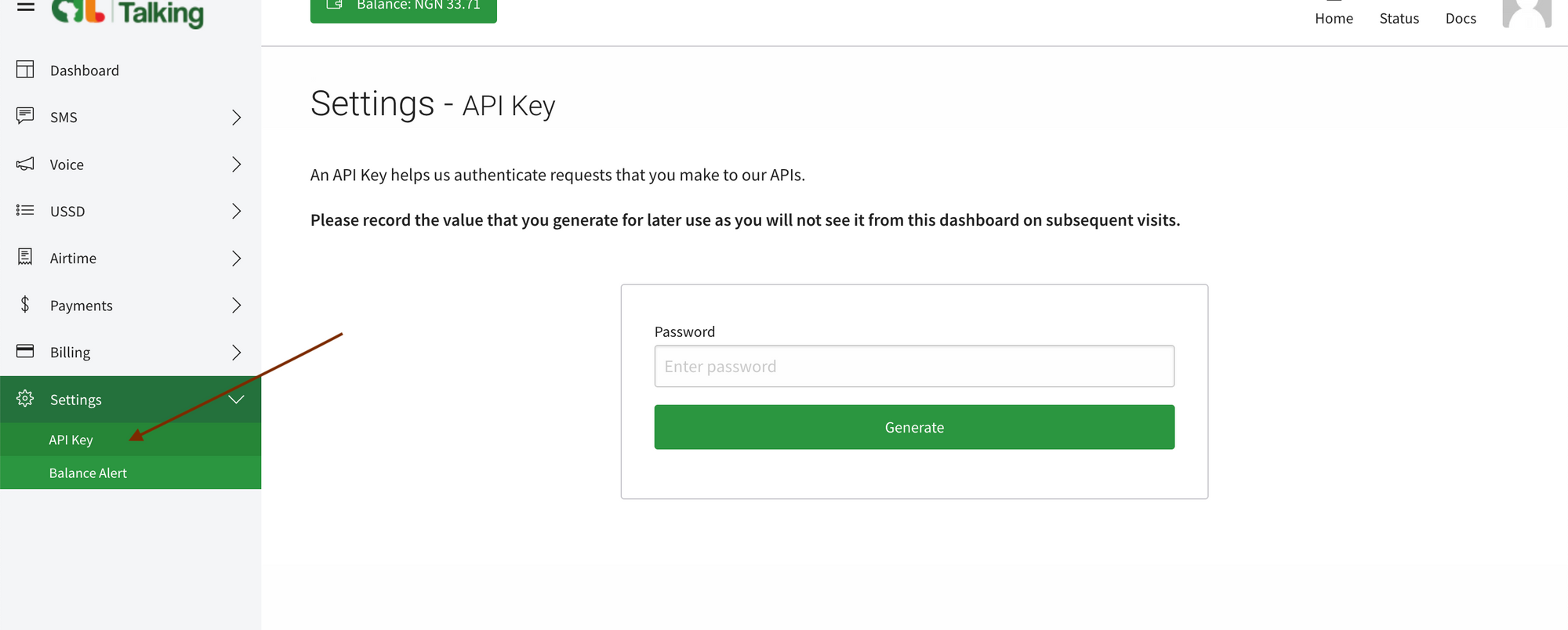 * On the page that appears, enter your password and click Generate.
 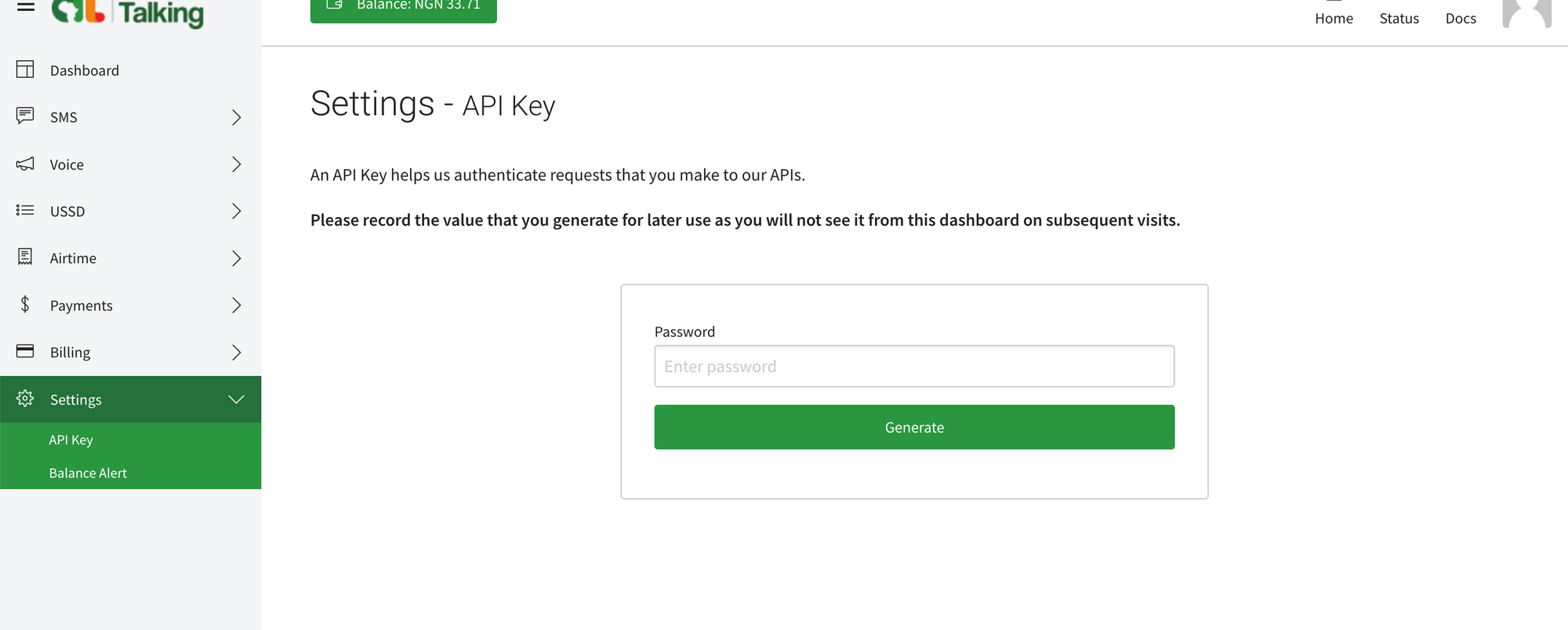 * Copy the API Key generated and paste it into the Novu platform or record it somewhere safe for later use because you will not see it from the dashboard on subsequent visits.
Once you've generated your API Key, wait about 3 minutes before testing it.
## Getting your Sender's ID
Sender IDs allow you to brand your messages as you send them to your customers. There are two kinds of sender IDs, **shortcodes** and **alphanumerics**. The difference is that you can send and receive messages with shortcodes but only send messages with an alphanumeric.
To create a Short Code:
* On your app dashboard, click on SMS (on the menu on your left). This will display a dropdown. Click on `Shortcodes` from the dropdown options. This will also display a dropdown from which you can then click on `My Shortcodes` to view your codes.
* Copy the API Key generated and paste it into the Novu platform or record it somewhere safe for later use because you will not see it from the dashboard on subsequent visits.
Once you've generated your API Key, wait about 3 minutes before testing it.
## Getting your Sender's ID
Sender IDs allow you to brand your messages as you send them to your customers. There are two kinds of sender IDs, **shortcodes** and **alphanumerics**. The difference is that you can send and receive messages with shortcodes but only send messages with an alphanumeric.
To create a Short Code:
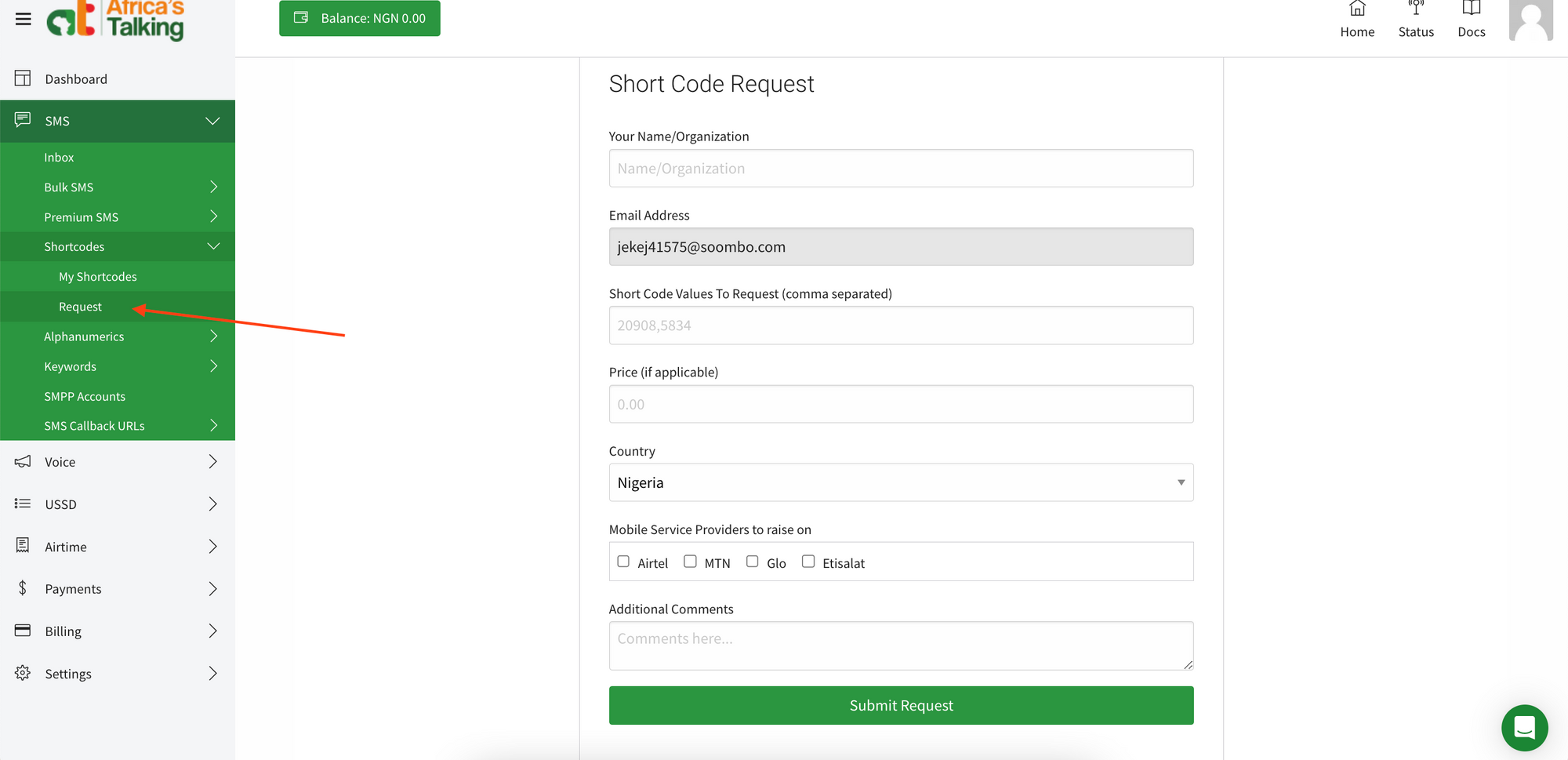
* On your app dashboard, click on SMS (on the menu on your left). This will display a dropdown. Click on `Shortcodes` from the dropdown options. This will also display a dropdown from which you can then click on `My Shortcodes` to view your codes. 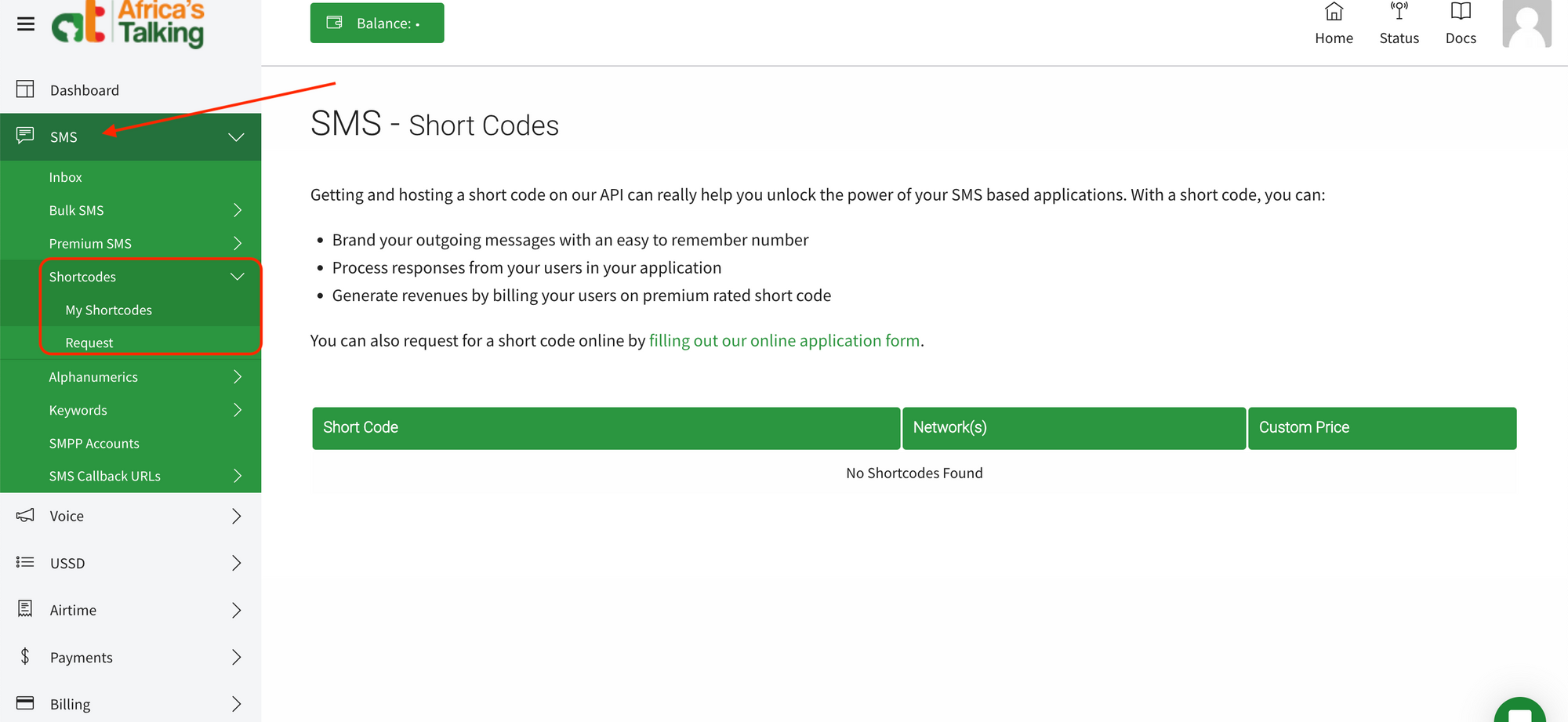 * If you have not created one yet, on the `Shortcodes` dropdown option, click on `Request`. On the page that appears, fill in the form and submit.
  ## To create an Alphanumeric:
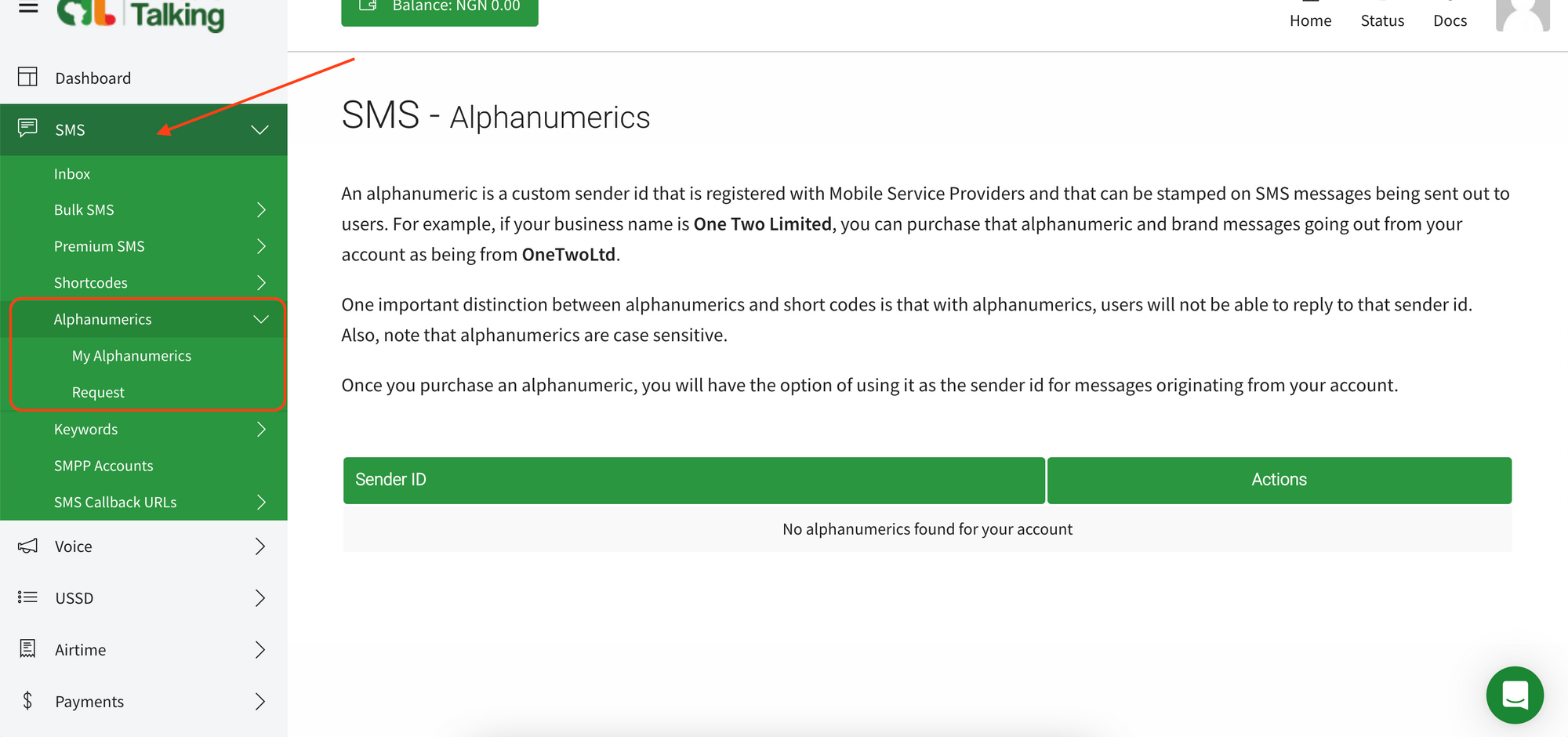
* On your app dashboard, click on SMS (on the menu on your left). This will display a dropdown. Click on `Alphanumerics` from the dropdown options. This will also display a dropdown from which you can then click on `My Alphanumerics` to view your codes.
## To create an Alphanumeric:
* On your app dashboard, click on SMS (on the menu on your left). This will display a dropdown. Click on `Alphanumerics` from the dropdown options. This will also display a dropdown from which you can then click on `My Alphanumerics` to view your codes.
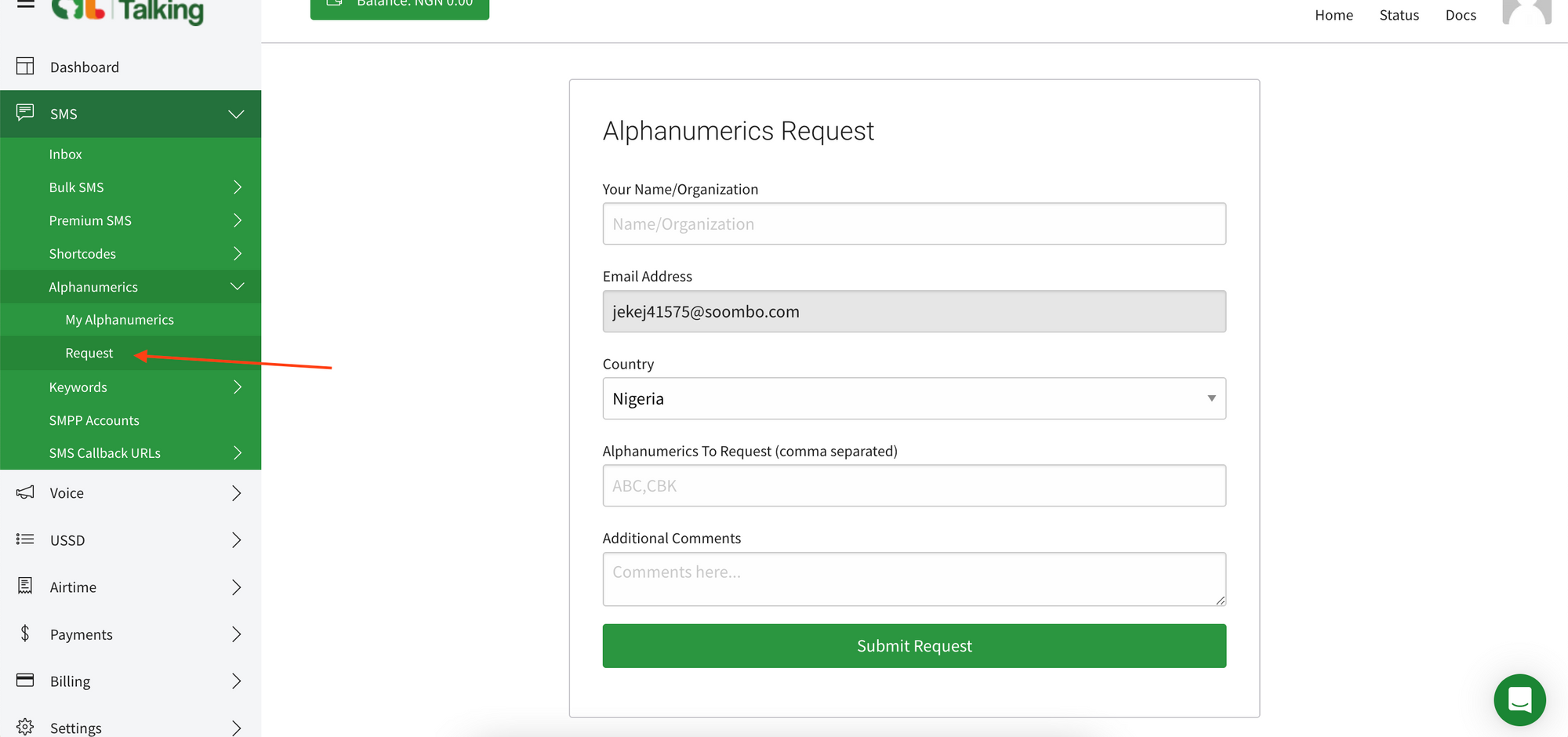
 * If you have not created one yet, on the `Alphanumerics` dropdown option, click on `Request`. On the page that appears, fill in the form and submit
 * Once you're done, add either your short code or alphanumeric to the `from` field on the Novu platform.
## Creating an Africa's Talking integration with Novu
* Visit the [Integrations](https://dashboard.novu.co/integrations?utm_campaign=docs-africastalking) page on Novu.
* Click the "Add a provider" button.
* Locate **Africa's Talking** under the SMS section and click on the **Connect** button.
* Enter the `API key`.
* Fill in the `username` field.
* Fill in the `from` field. This is your registered `short code` or `alphanumeric` value.
* Click on the `Disabled` button and mark it as `Active`.
* Click on the **Connect** button.
Now it is possible to send SMS notifications using Africa's Talking in Novu.
* Once you're done, add either your short code or alphanumeric to the `from` field on the Novu platform.
## Creating an Africa's Talking integration with Novu
* Visit the [Integrations](https://dashboard.novu.co/integrations?utm_campaign=docs-africastalking) page on Novu.
* Click the "Add a provider" button.
* Locate **Africa's Talking** under the SMS section and click on the **Connect** button.
* Enter the `API key`.
* Fill in the `username` field.
* Fill in the `from` field. This is your registered `short code` or `alphanumeric` value.
* Click on the `Disabled` button and mark it as `Active`.
* Click on the **Connect** button.
Now it is possible to send SMS notifications using Africa's Talking in Novu.