# Firetext SMS Provider (/platform/integrations/sms/firetext)
Learn how to use the firetext provider to send sms notifications using Novu
You can use the [firetext](https://www.firetext.co.uk) provider to send SMS messages to your customers using the Novu Platform with a single API to create multi-channel experiences.
## Setting up Firetext
Firetext is only available in the UK region. Other regions may require additional verification.
1. [Sign up](https://app.firetext.co.uk/signup) or [Login](https://app.firetext.co.uk/) to your firetext account
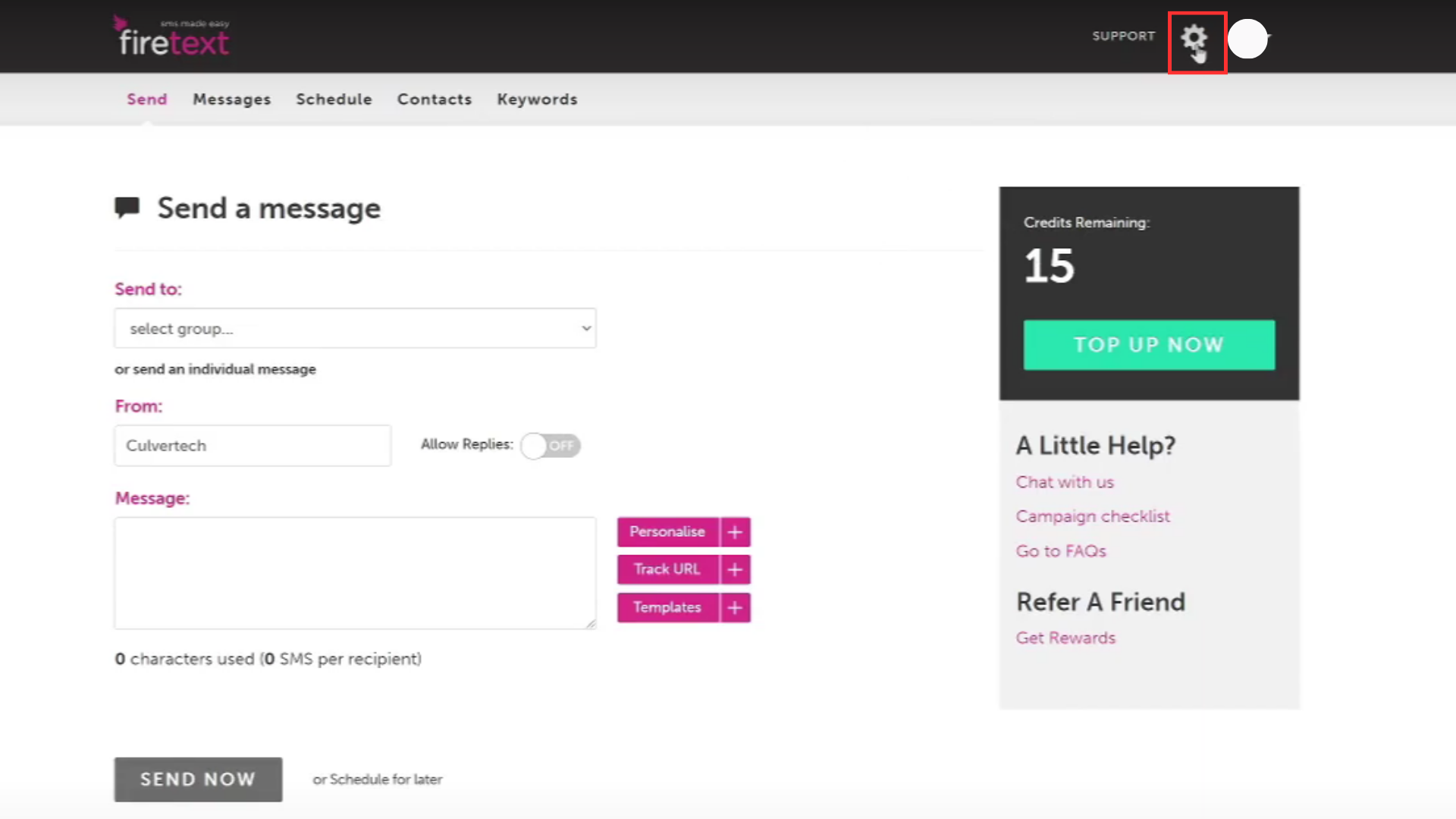
2. Click on the `Settings` icon in the top right corner of the screen
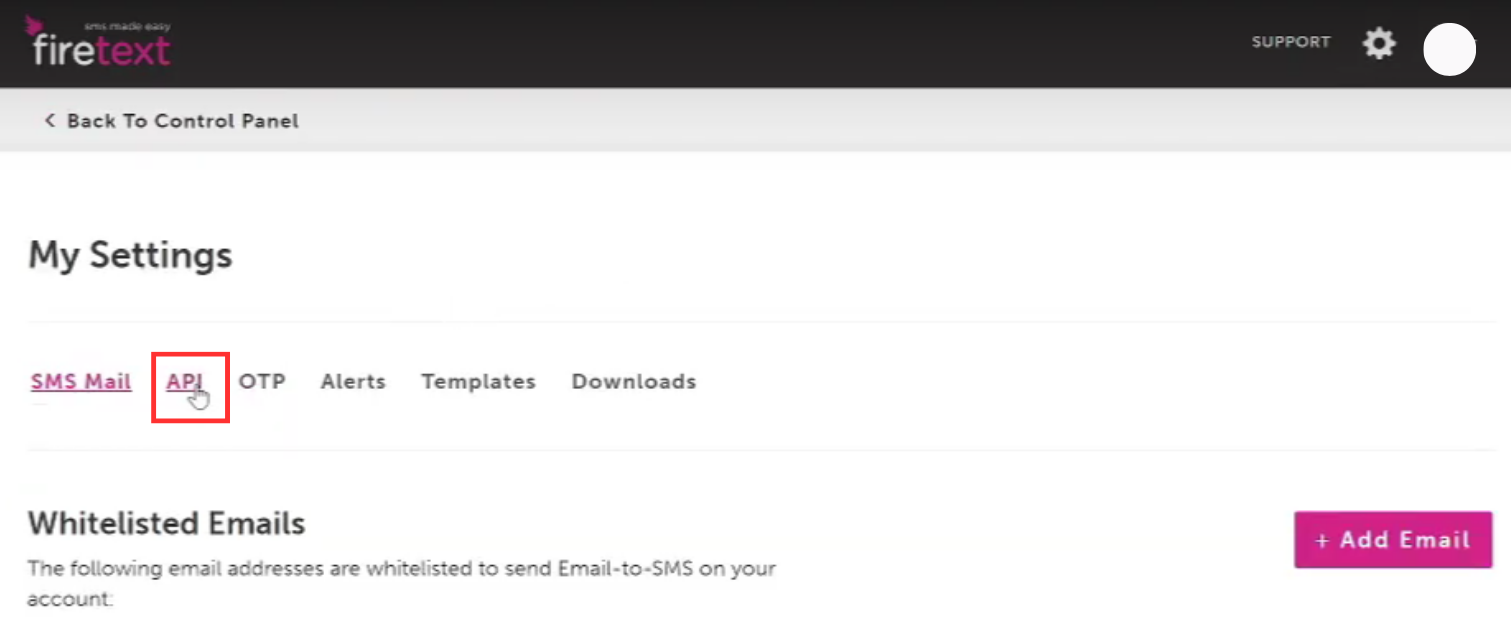
 3. Click on the `API` in `My Settings` Section
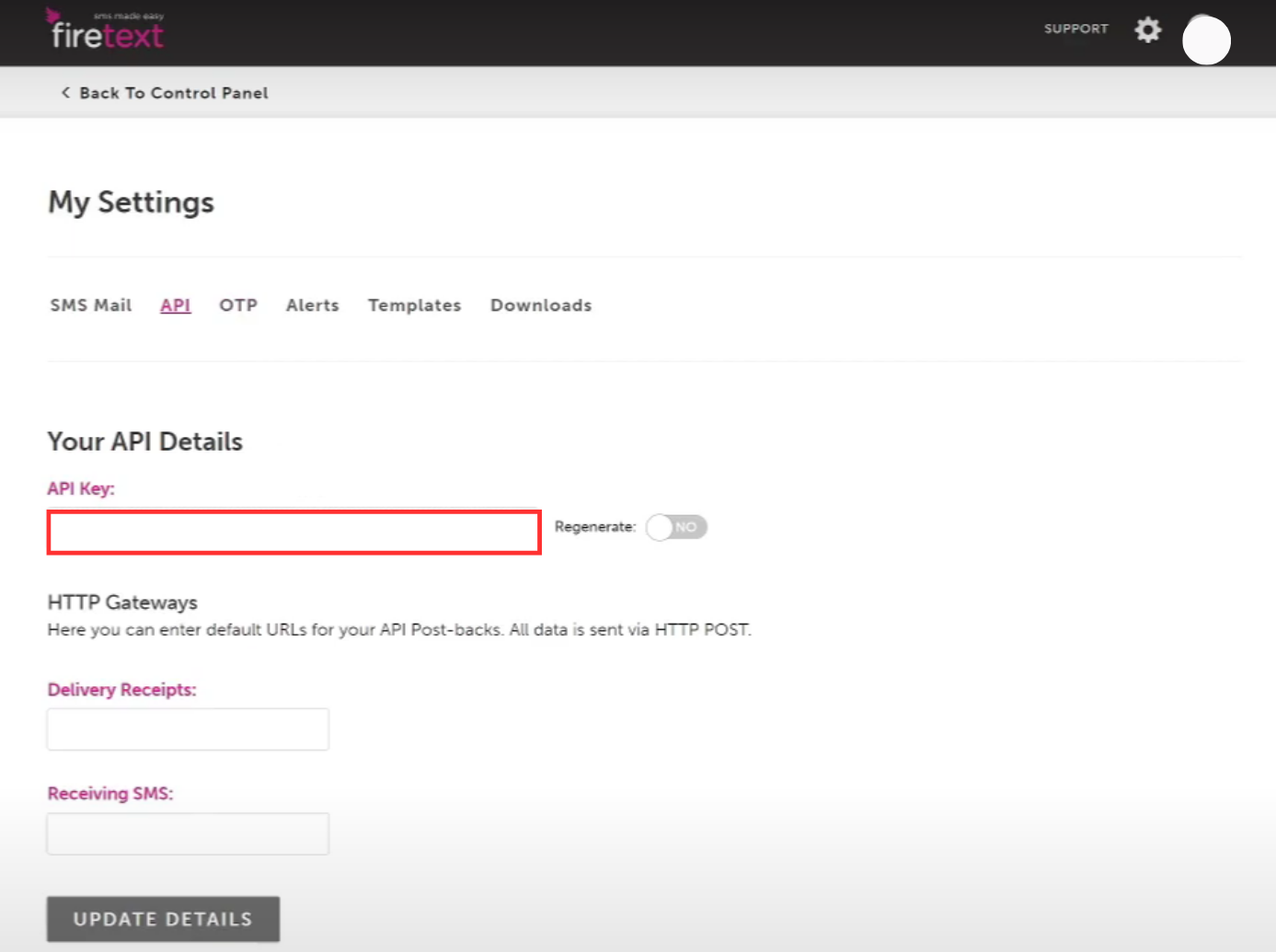 4. On the API Keys page, copy the `API key`
 1. Visit the [Integrations](https://dashboard.novu.co/integrations?utm_campaign=docs-sms-firetxt) page on Novu
2. Click the "Add a provider" button
3. Locate **firetext** under the SMS section and click on the **Connect** button
4. Enter your:
* Firetext API Key
* From field (Sender ID)
5. Click on the `Disabled` button and mark it as `Active`
6. Click on the **Connect** button
Now it is possible to send SMS notifications using **firetext** in Novu.
1. Visit the [Integrations](https://dashboard.novu.co/integrations?utm_campaign=docs-sms-firetxt) page on Novu
2. Click the "Add a provider" button
3. Locate **firetext** under the SMS section and click on the **Connect** button
4. Enter your:
* Firetext API Key
* From field (Sender ID)
5. Click on the `Disabled` button and mark it as `Active`
6. Click on the **Connect** button
Now it is possible to send SMS notifications using **firetext** in Novu.