

Authorization header.
The REST API and server-side SDKs are intended for server-side applications only. Using them in client-side code causes Cross-Origin Resource Sharing (CORS) errors and exposes your secret key.
API key authentication
Include your secret key in theAuthorization header, prefixed with ApiKey:
Initialize the SDK
When using a server-side SDK, pass your secret key during initialization:Test with Postman
To send authenticated requests in Postman, import the official Postman collection and set thesecretKey collection variable to your environment’s secret key. See Import the Postman collection for setup steps.
Credential types
Each Novu environment has two credentials. Use the right one for the context:
The secret key grants full administrative access to your environment. Never expose it in frontend code, public repositories, or browser network requests.
The application identifier is safe to use in client-side code. It identifies your application within Novu but does not authorize API requests on its own.
Find your API keys
- Log in to the Novu Dashboard.
- Go to Developer → API Keys.
- Select the environment you want to use (Development, Production, or a custom environment).
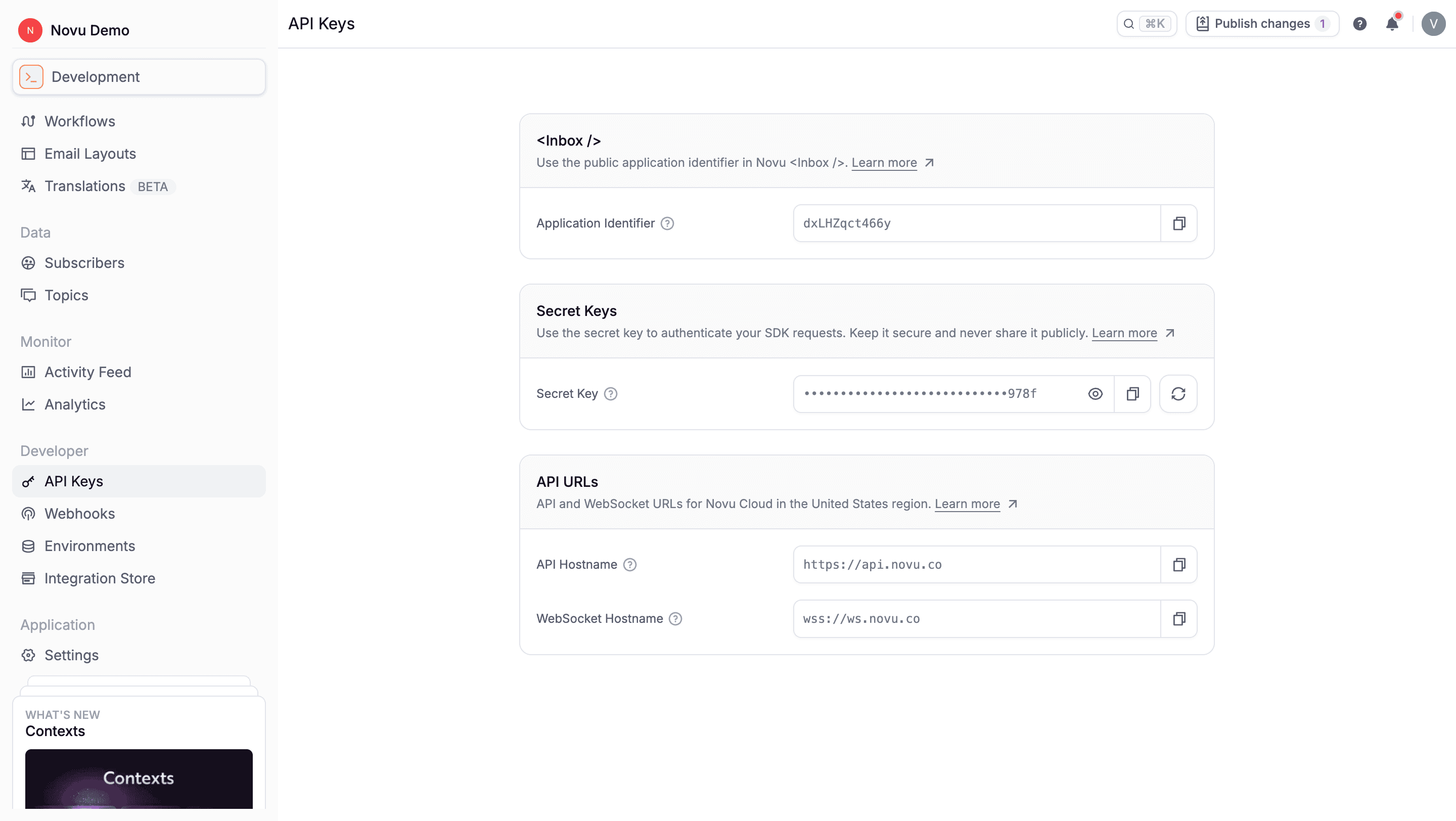
API keys
Learn more about application identifiers, secret keys, and API hostnames.
Environment-specific credentials
API keys are scoped to a single environment. Requests authenticated with a secret key only access resources in that environment.- Development - Build and test workflows, subscribers, and integrations.
- Production - Send live notifications to subscribers.
- Custom environments - Available on Team and Enterprise plans for staging, QA, or other release stages.
API base URLs
Use the base URL that matches your Novu Cloud region:
When using the EU region, also configure the WebSocket hostname for real-time Inbox updates:
Self-hosted deployments use your own API hostname. See Self Hosting Novu for configuration details.
Security best practices
- Store secret keys in environment variables or a secrets manager - never commit them to version control.
- Use separate credentials for development and production environments.
- Rotate secret keys from the dashboard if a key may have been exposed.
- Restrict server-side API access to trusted backend services only.
- Enable HMAC encryption for Inbox to prevent subscriber impersonation in client-side applications.
Authentication errors
If authentication fails, the API returns a401 Unauthorized response. Common causes:
- Missing or malformed
Authorizationheader - Secret key from a different environment than the target resources
- Expired or regenerated secret key that has not been updated in your application
ApiKey prefix (not Bearer) and that the secret key matches the active environment.
Related documentation
- Overview - REST API capabilities and developer resources
- Rate Limiting - Request limits by plan and endpoint category
- Idempotency - Prevent duplicate requests by replaying responses for the same idempotency key
- Environments - How environments isolate resources and credentials