

Types of environments
When you create a Novu account, you are provided with a development and production environment by default. On certain plans, you can also create custom environments to match your team’s workflow.- Development environment: Use the development environment to build and test new workflows, layouts, and translations, and experiment with different configurations before publishing to other environments. Triggers here use the Development secret key. A workflow that exists only in Development does not run when you call the API with the Production secret key.
- Production environment: The production environment is used to send notifications to your subscribers. To ensure stability and prevent unintended changes, this environment is view-only for workflows, layouts, and translations. Changes are not made here directly. They are made in Development and then published.
- Custom environment: Custom environments are only available on Team and Enterprise plans. The Free plan includes Development and Production only. Use a custom environment to match your release process, for example staging or QA.
Create a custom environment
To create a custom environment:- Log in to the Novu dashboard.
- Go to the Environments page in the Novu dashboard.
- Click Create environment. A menu appears.
- Enter your preferred environment name in the Name field.
- Assign unique colors to easily distinguish between environments.
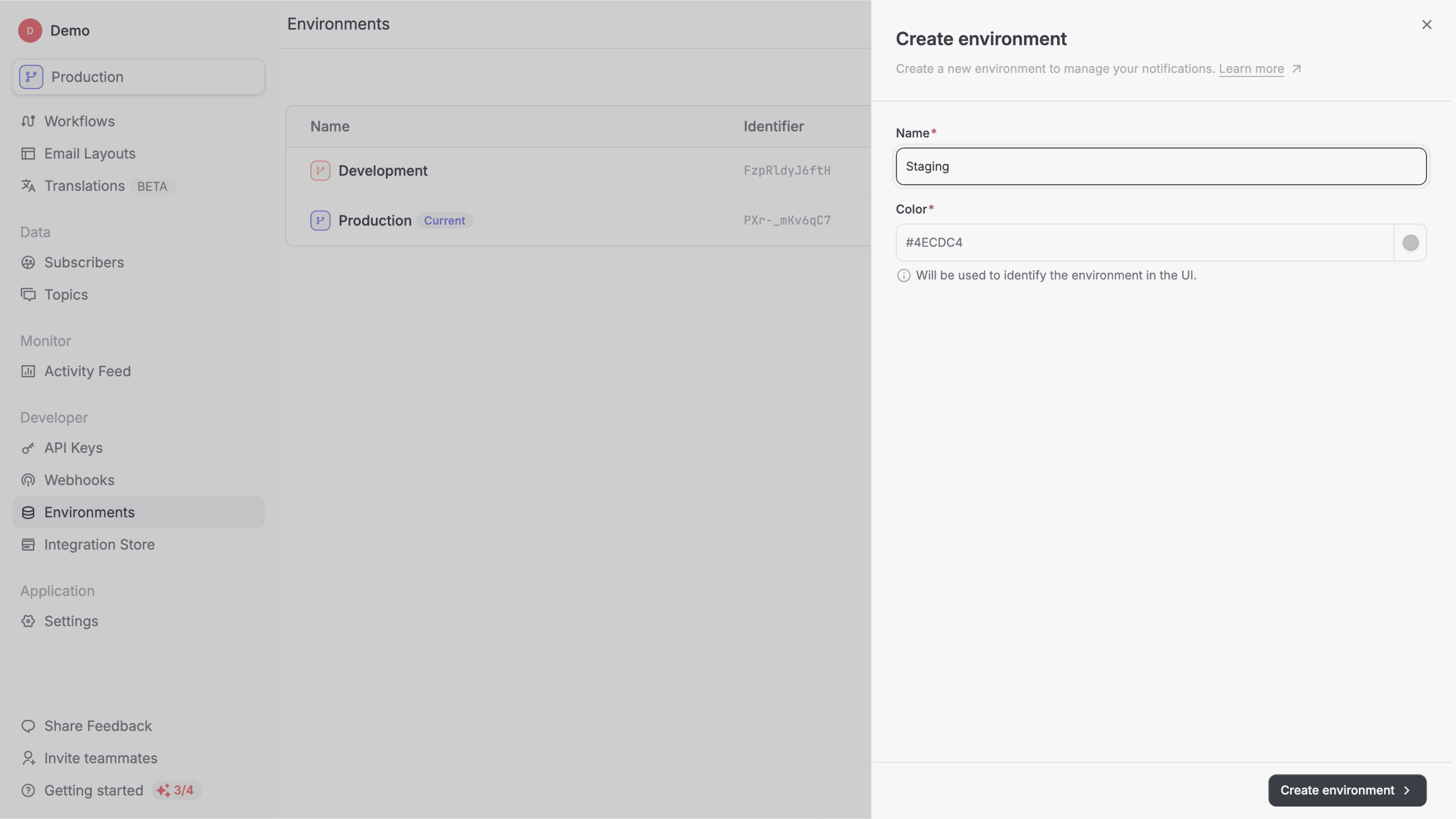
- Click Create environment. The new environment is created and is available in the environments list.
What’s unique to each environment?
Each environment in Novu has it’s own isolated resources, while the development environment has assets that can be published to other environments. Each environment maintains some isolated set of resources, while you can share or promote other assets through publishing.Environment-specific resources
These resources are completely separate and unique to each environment. Data in one environment has no connection to data in another. They are:- Activity feed
- API keys (application identifier and secret key)
- Integrations (Provider credentials)
- Subscribers
- Topics
- Webhooks
Publishable assets
These assets are managed centrally in the development environment and then published to other environments.- Layouts
- Translations
- Workflows
Environment credentials
Each environment has two unique identifiers:-
Application Identifier
- Public ID for client-side apps
- Used with
<Inbox /> - Different for each environment
- Safe to expose in frontend code
-
API Secret Key
- Used for backend API authentication
- Keep this secure and never expose publicly
- Different for each environment
Configure these credentials in your application based on the active environment, similar to how you manage other service credentials.
Publish changes to other environments
Novu provides a publish mechanism that allows you to promote changes from your development environment to production or other custom environments. This process ensures that all changes are deliberate, reviewed, and deployed in a controlled manner. The publishing process bundles all modifications made to workflows, layouts, and translations since the last publish event. You can promote changes to other environments by following these steps:- Ensure you are in the Development environment. All changes must originate from here.
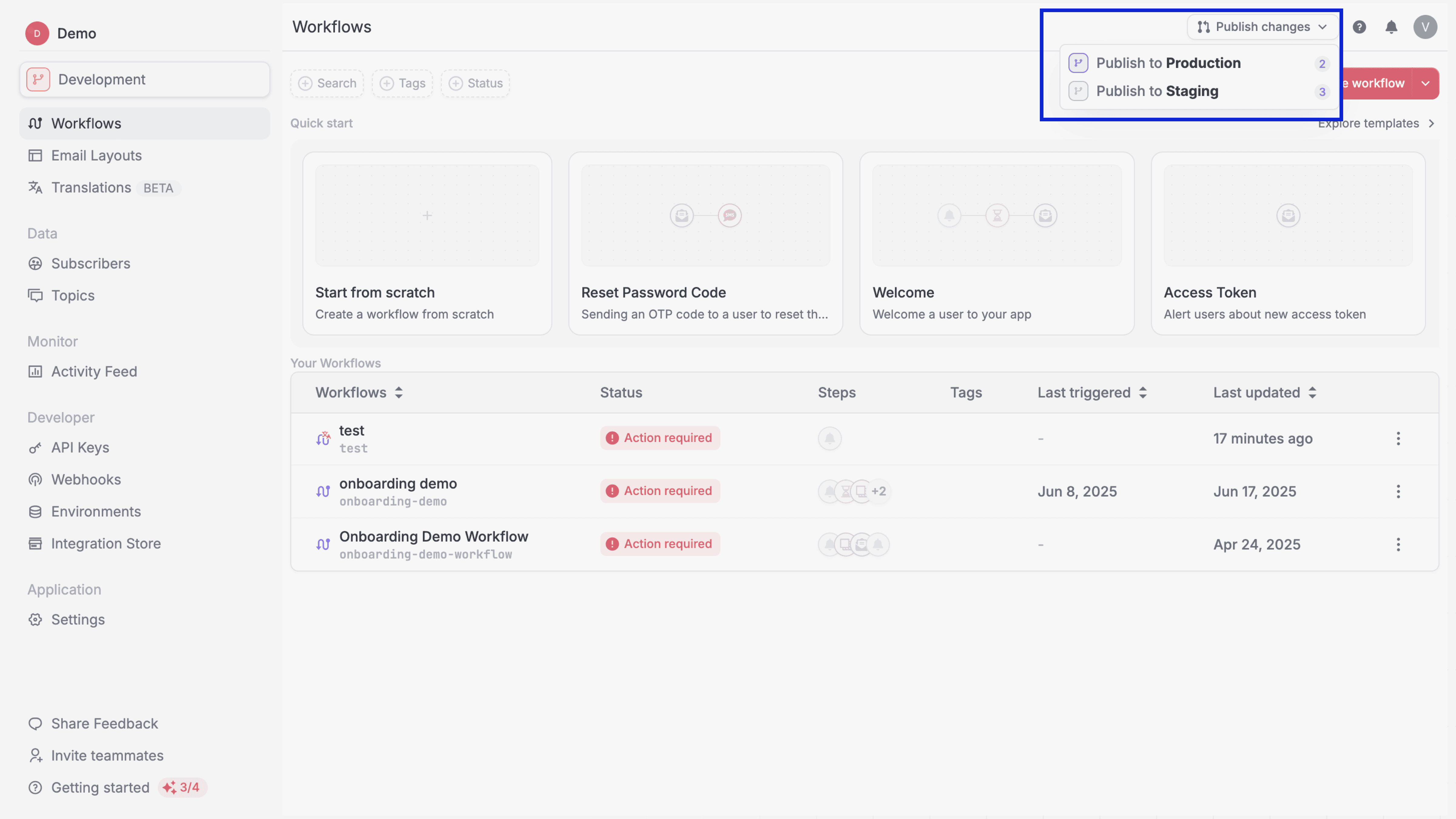
- Click Publish changes. A list of available environments appears.
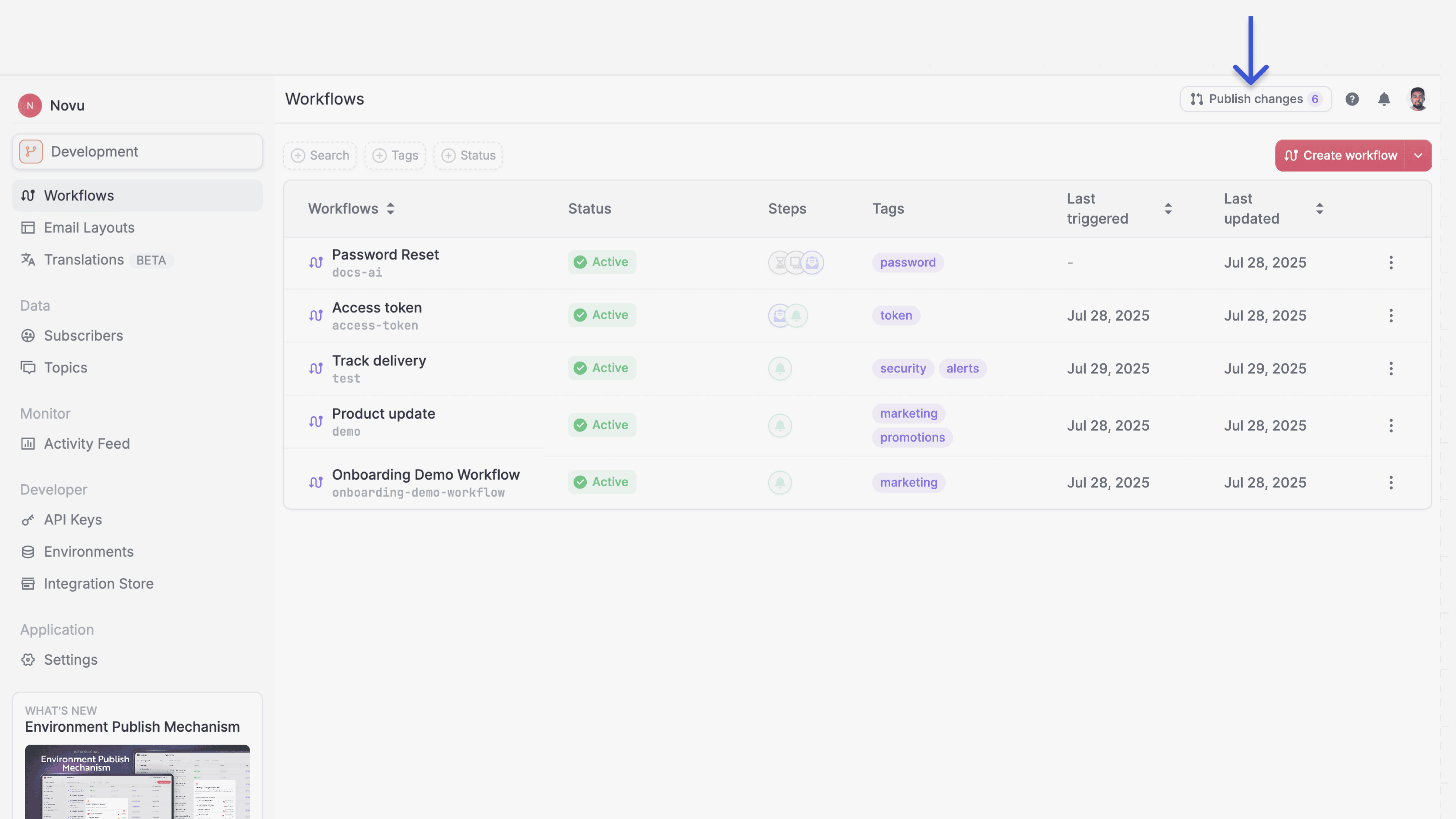
- Select the environment that you want to publish to.
- Select the checkboxes next to the workflows that you want to publish. A menu appears, showing all the available workflows.
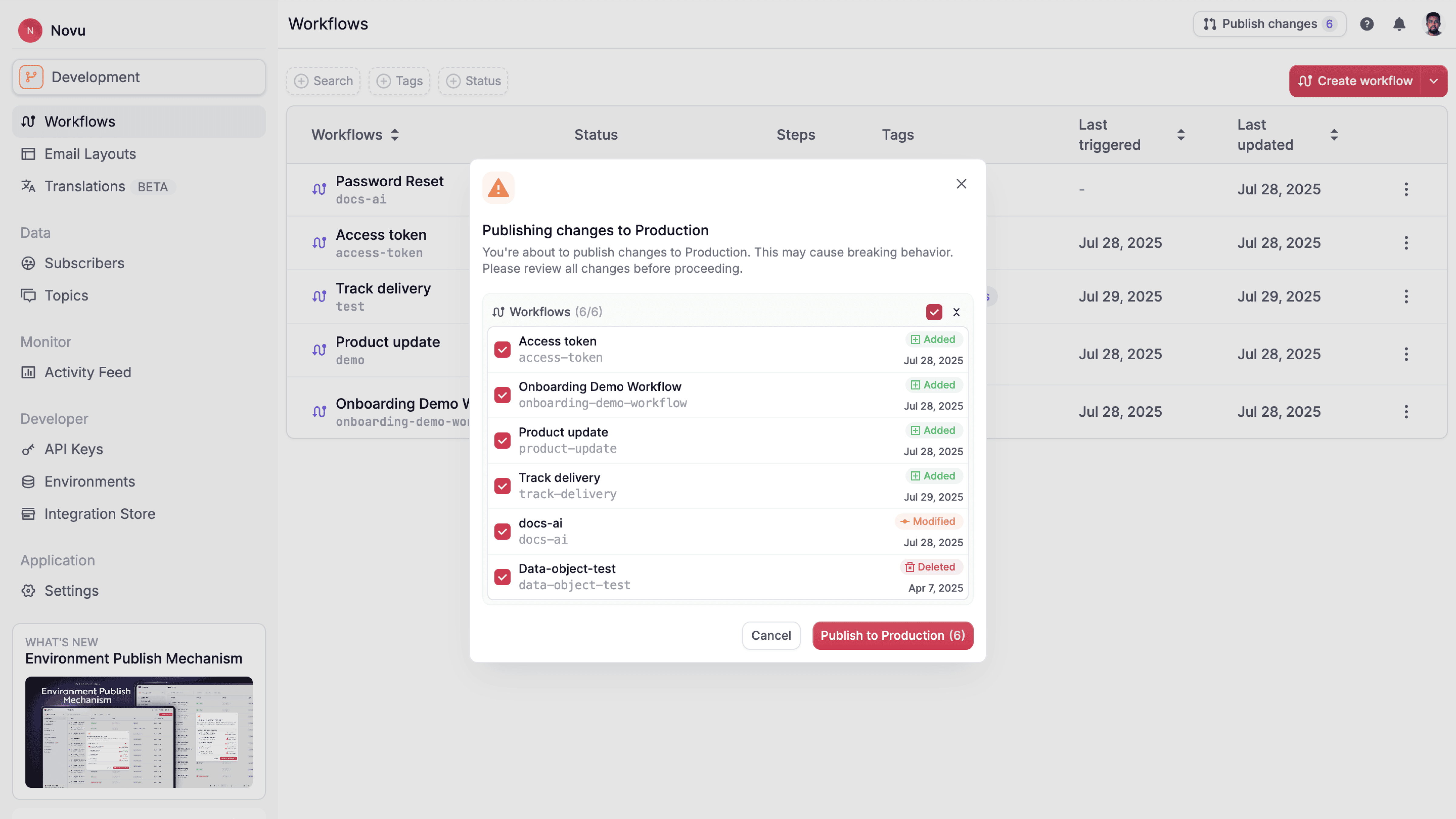
- Click the publish button to publish the selected workflows to the selected environment.
Publish via API
You can also publish programmatically with the Publish resources to target environment endpoint (POST /v2/environments/{targetEnvironmentId}/publish). The request body accepts:
sourceEnvironmentId: the environment to sync from. Defaults to the Development environment.resources: an array of specific resources to publish, each with aresourceType(workflow,layout, oragent) and aresourceId.resourceIdis the public identifier: the workflow trigger identifier (workflowId), layout identifier, or agent identifier. Do not pass an internal database_id. If omitted, all resources are published. If none of the supplied IDs match a resource in the source environment, the request succeeds but publishes nothing.dryRun: set totrueto preview the changes without applying them.