

<Inbox />.
Your API keys are environment specific and allow Novu to tie all request to a particular Novu environment.
Finding your API keys
Follow these steps to find your environment-specific API keys:- Login to the Novu dashboard.
- On the developer section, click API Keys to find all your environment keys, whiich are:
- Application Identifier
- Secret Keys
- API URLs
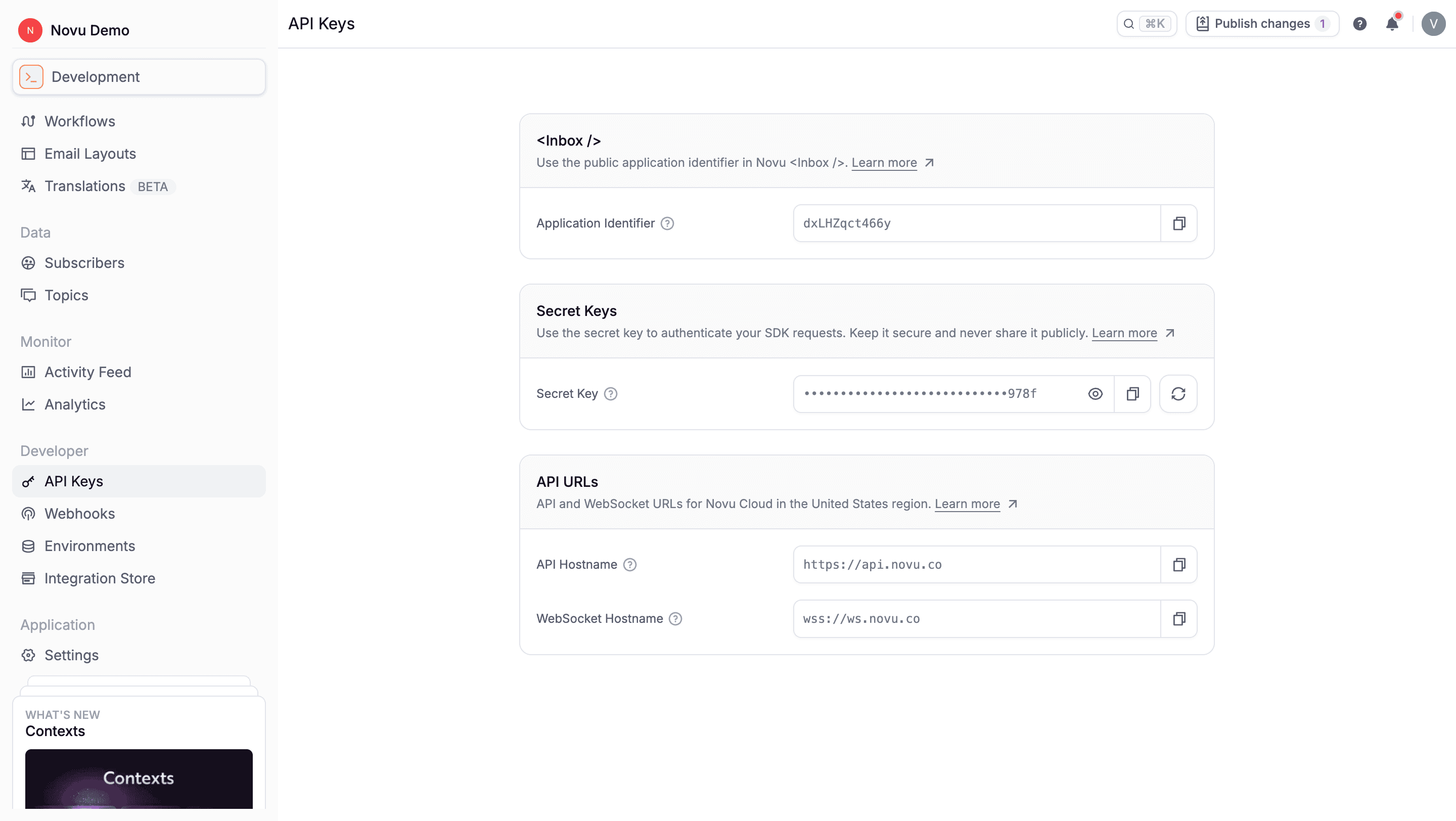
Application identifier
The Application Identifier is a unique identifier for your application within Novu. It is considered a public key and is safe to expose in client-side code. The application identifier is used to initialize the<Inbox /> component.
Secret key
The Secret Key is a private token used to authenticate and authorize requests sent to the API service. It proves that your application is allowed to access resources. This key grants full administrative access to your account. It should never be used in publicly accessible code, such as frontend applications or public repositories (GitHub, GitLab). You can regenerate the secret key from the API Keys dashboard. This will invalidate the old key and require you to update your environment variables.Rolling secret key rotation
Rolling rotation lets you replace a secret key without downtime by keeping two active keys during the switchover. You generate a second key, roll your applications over to it, and then delete the old key once nothing is still using it. An environment can have at most two active secret keys at any time, and at least one key must always exist.Rotate a key from the dashboard
The Secret Keys card on the API Keys page lists every active key with per-key mask, reveal, and copy controls.- Click Generate new key to add a second secret key. The card now shows both keys.
- Update your applications, workflow bridge endpoints, and any other integrations to use the new key.
- Once nothing is using the old key, click Delete next to it and confirm. The dashboard blocks deletion of the last remaining key.