

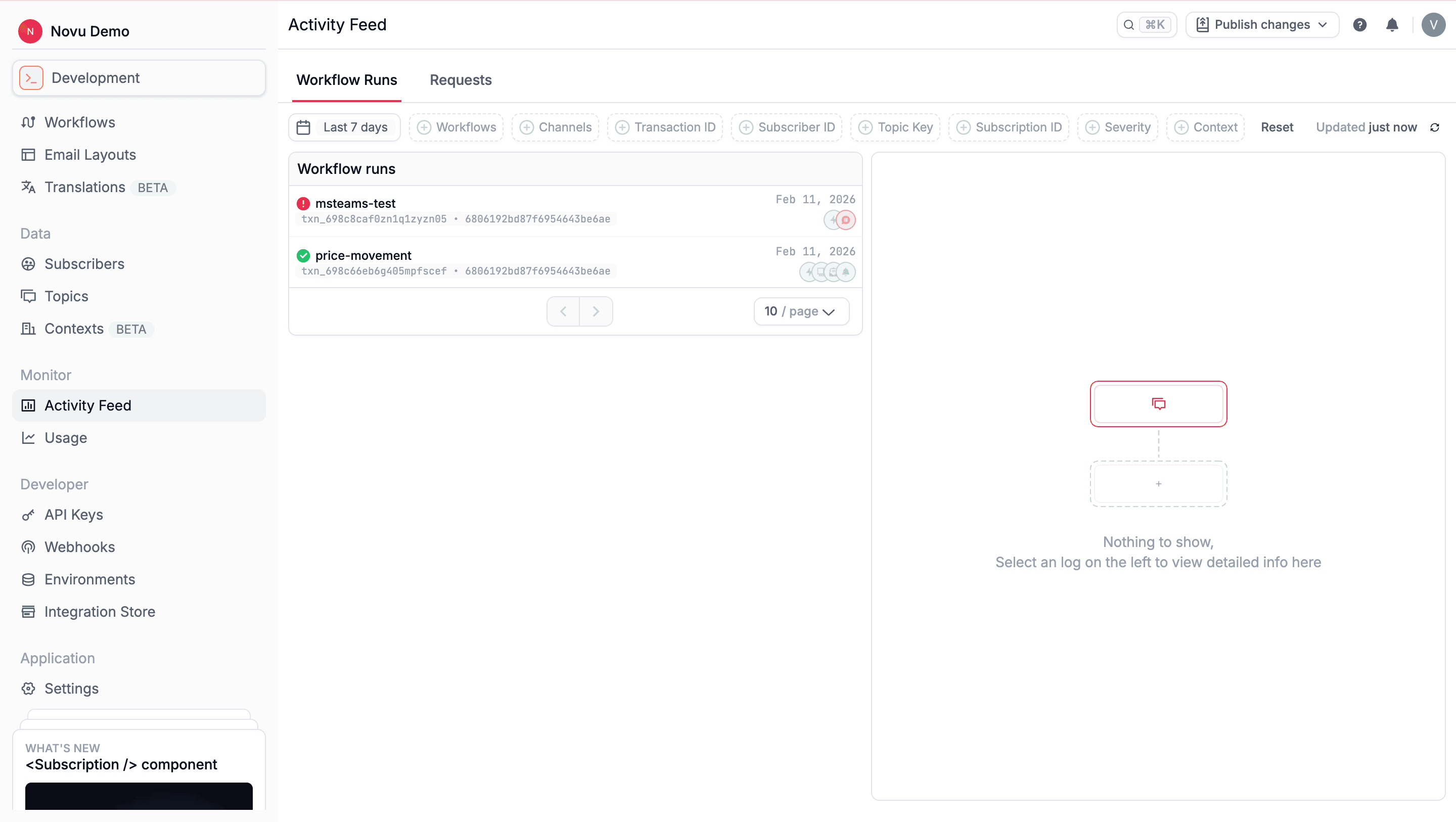
Each environment has its own Activity Feed, ensuring execution data is isolated and easy to reason about.
Inspect workflow runs
The Workflow Runs tab shows the details of every workflow triggered to each subscriber. Each run represents a single execution instance and reflects how the workflow behaved for that subscriber. You can filter workflow runs using parameters such as time period, workflow identifier, and channel. Selecting a workflow run opens the run details view, which gives you access to execution outcomes of each step in the workflow and investigate delivery issues.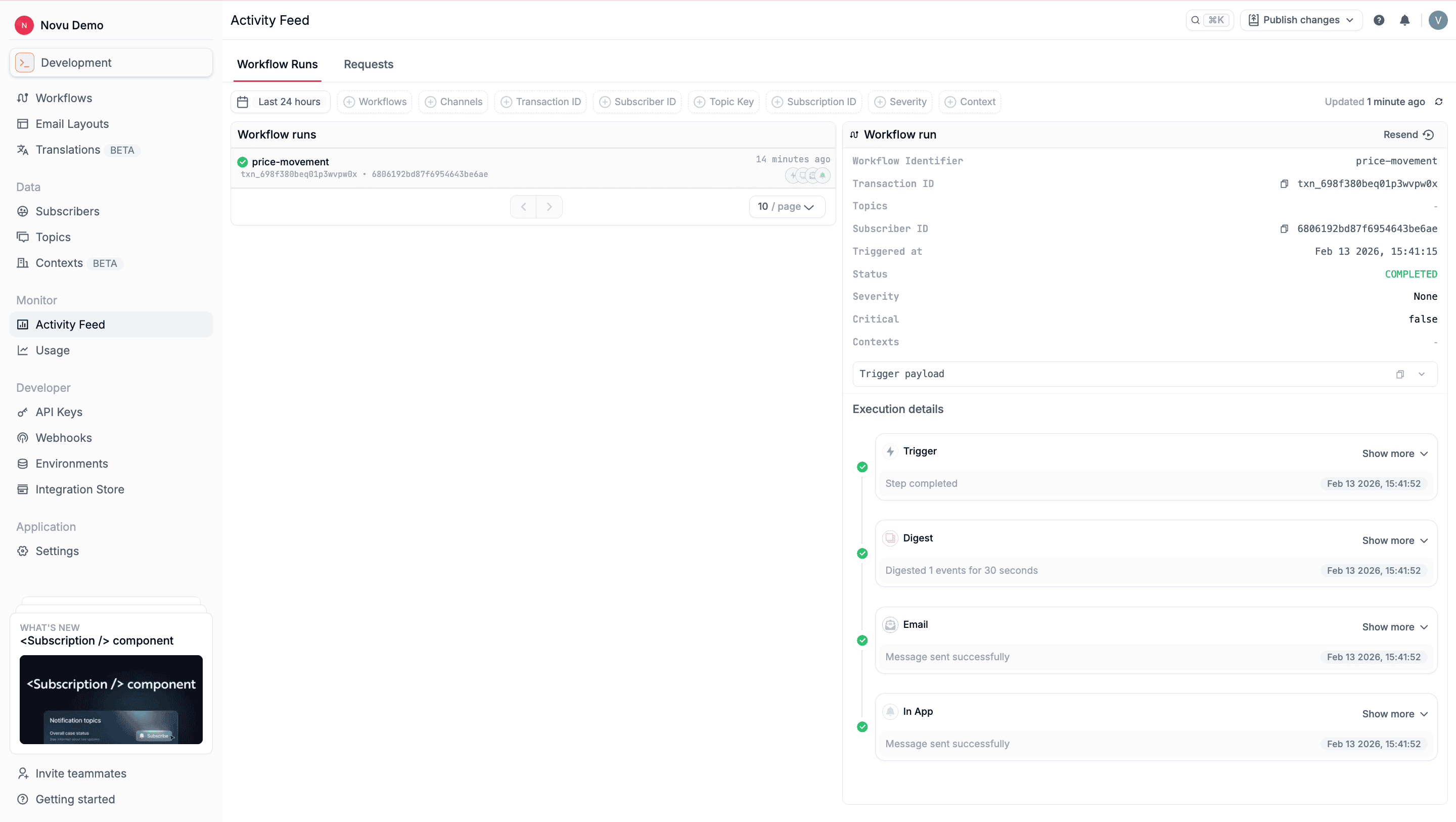
Each workflow run also includes execution details that show how Novu processed each step for a single subscriber. The timeline is ordered chronologically and reflects the internal state transitions of each step as the workflow runs.
Execution details are step-specific and vary depending on:
- The type of step
- Whether the step succeeded, was skipped, or failed
- Provider behavior and delivery outcomes
Inspect trigger requests
The Requests tab in the Activity Feed shows detailed information about every request made to the Event API. Selecting a request opens a detailed view of how Novu processed it, the API response, and execution traces.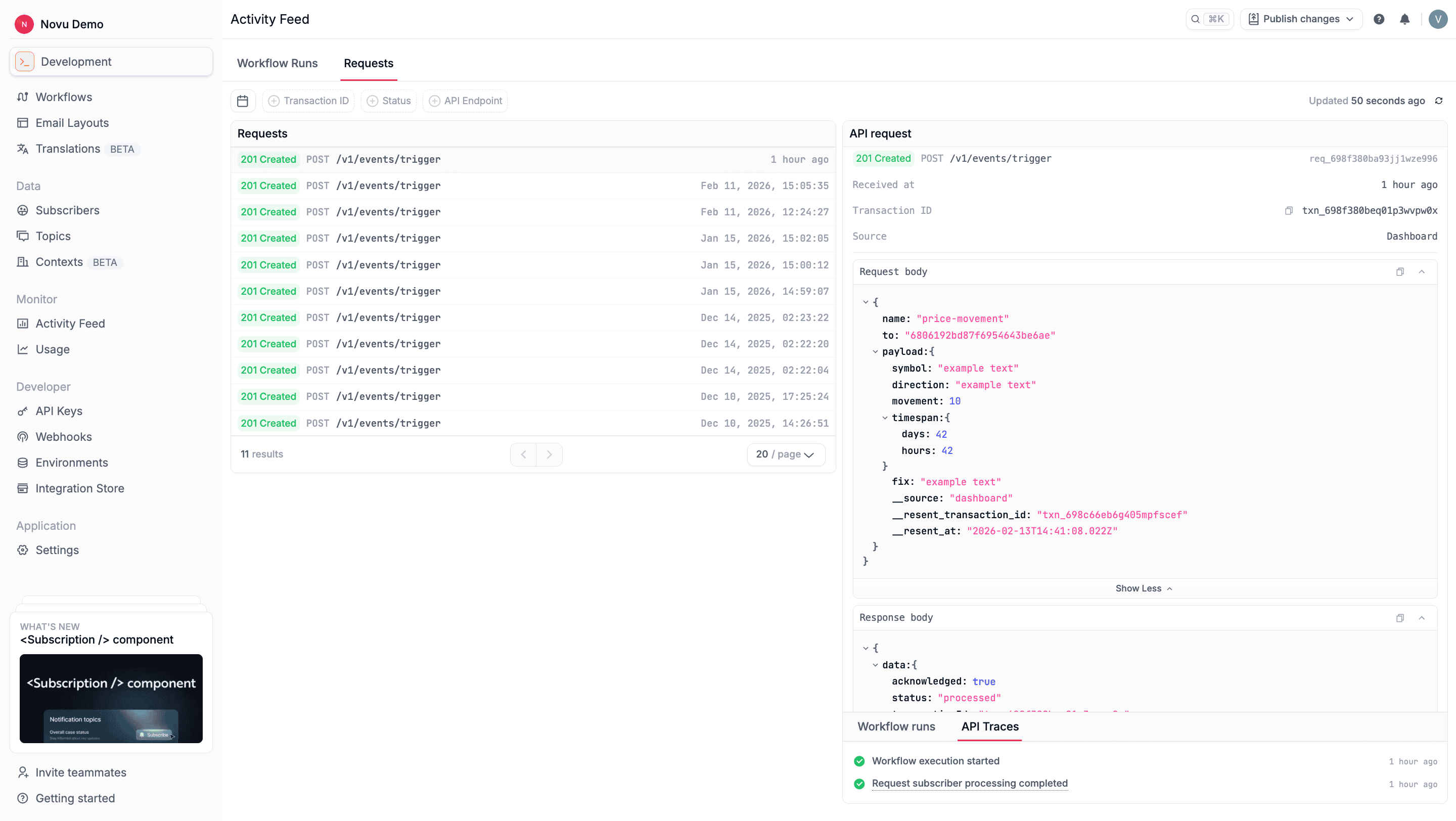
Each request also includes API trace events that show how Novu handled the trigger internally.
Common trace entries include:
- Workflow execution started
- Request subscriber processing completed
Why a notification was not delivered
Open the Activity Feed, select the workflow run, and read the step that did not send. The step status and execution detail name the cause.- Skipped: a step condition did not match, or a throttle limit was exceeded.
- Error: the provider rejected the message or no active integration matched. See Common errors.
- Canceled: required subscriber contact data may be missing, such as an email address or a phone number. Open the step details to check the cause.
- Subscriber preferences: the subscriber turned that channel off for the workflow, or globally, and the workflow is not marked critical. See Preferences.
- Wrong environment: the trigger used a secret key for an environment where the workflow is not published, or the Inbox is using a different application identifier than the environment you triggered.
- Demo email: the demo email integration only delivers to the email address on your Novu account.
- Inbox context: the notification was sent, but the Inbox was initialized with a different context than the trigger, so it does not appear in that session.
Debug a failed workflow run
- In the Activity Feed, filter by workflow, subscriber ID, channel, or transaction ID.
- Open the run. The status is Completed, Pending, or Failed.
- Open the failed step. The timeline lists each state change and the provider response.
- Compare the trigger payload on the run with the variables the template uses.
- On the Requests tab, open the same transaction ID to see the API body Novu received and the response it returned.
Activity statuses
The Status field on a workflow run is Completed, Pending, or Failed. Each step inside that run has its own badge:
Provider delivery events such as delivered, bounced, opened, or clicked are separate from the step status. They appear on the message when activity tracking is configured for that provider. Success means Novu sent the message, not that the recipient opened it.