

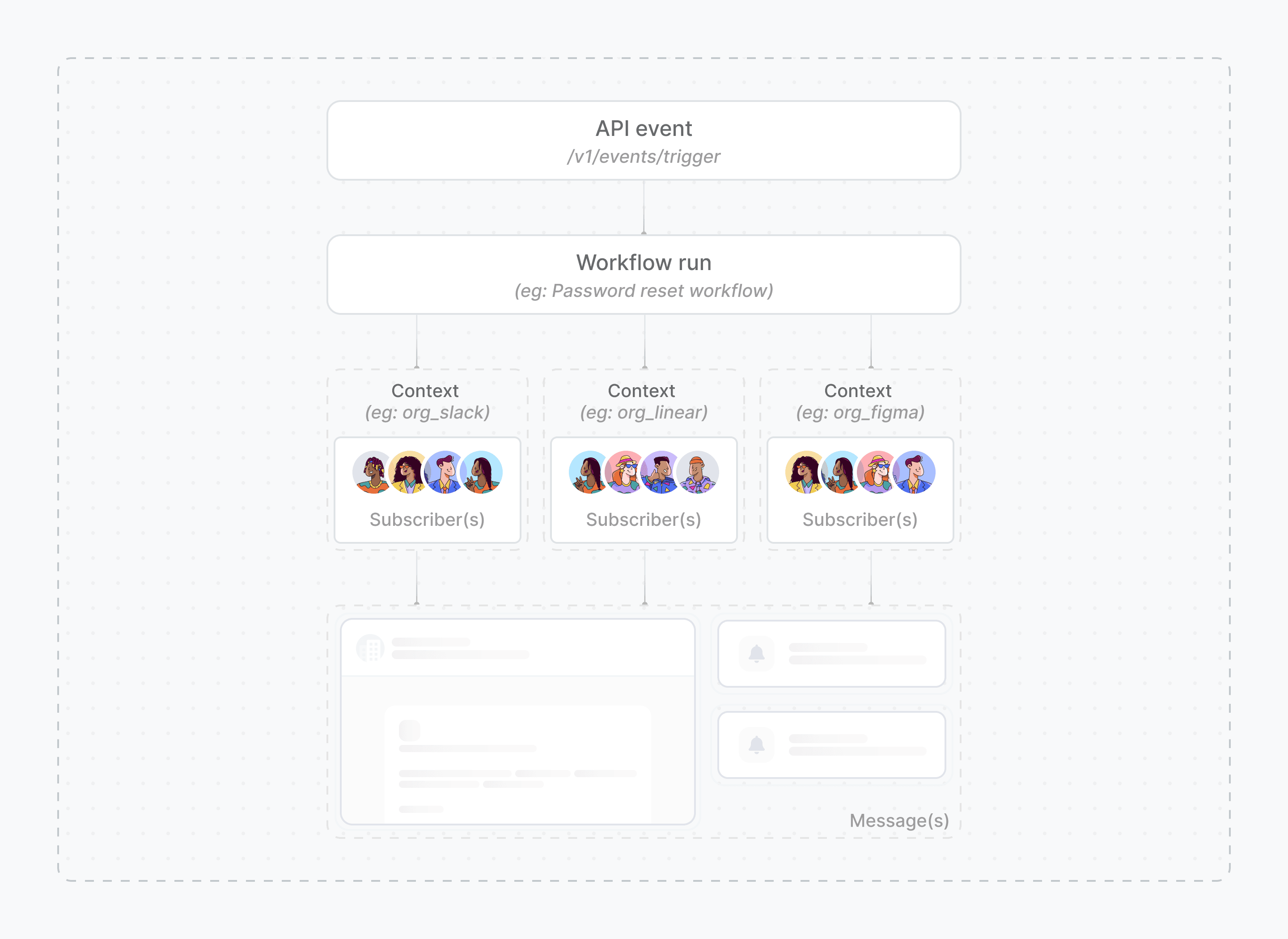
How context works
Context solves the common problem of sending differentiated notifications to the same subscriber without creating duplicate subscriber records or complex workarounds. For example, if you have a single subscriber entity,[email protected], who uses two different applications you offer: “Notion Email” and “Notion Calendar”. You want to send notifications specific to each application.
Without context, you might have to create two different subscribers or use workarounds with subscriber ID prefixes to differentiate the notifications.
However, with context, you can provide this metadata directly in the trigger. This allows you to use a single workflow and subscriber entity, while dynamically changing content or logic based on the context.
Without context
- Node.js
- Python
- Go
- PHP
- .NET
- Java
- cURL
With context
- Node.js
- Python
- Go
- PHP
- .NET
- Java
- cURL
- Multi-tenancy and app routing: Use a tenant or app context to dynamically alter notification content, branding, or logic for different customers or applications from a single workflow.
- A/B testing: Pass a campaign identifier in a context (for example, campaign: ‘new-welcome-email-v2’). Use this in a condition step to split users into different notification paths and measure which performs better.
- Data residency and compliance: Use a region context to tag notifications with their origin. This can help in applying data retention policies or filtering data for compliance audits.