

Outbound webhooks feature is only available in the Team and Enterprise plans.
How it works
You provide Novu with a URL (endpoint), and we send a JSON payload to that URL whenever an event happens, such as a workflow update or message delivery. For example, to receive updates athttps://api.yourservice.com/novu/webhook/, you must configure this as your endpoint. Your server then acknowledges receipt by returning a 2xx status code (200-299).
How to add a webhook endpoint
To start listening to messages, you must register your endpoint in the Novu dashboard.- Go to the Webhooks page in the Novu dashboard.
- Select the Endpoints tab.
- Click Add Endpoint.
- Select a webhook integration from the list. Choose Webhook to receive events over HTTP, Polling Endpoint or FIFO Endpoint for alternative HTTP delivery, or select a connector to deliver events directly to a warehouse, object store, queue, or analytics tool.
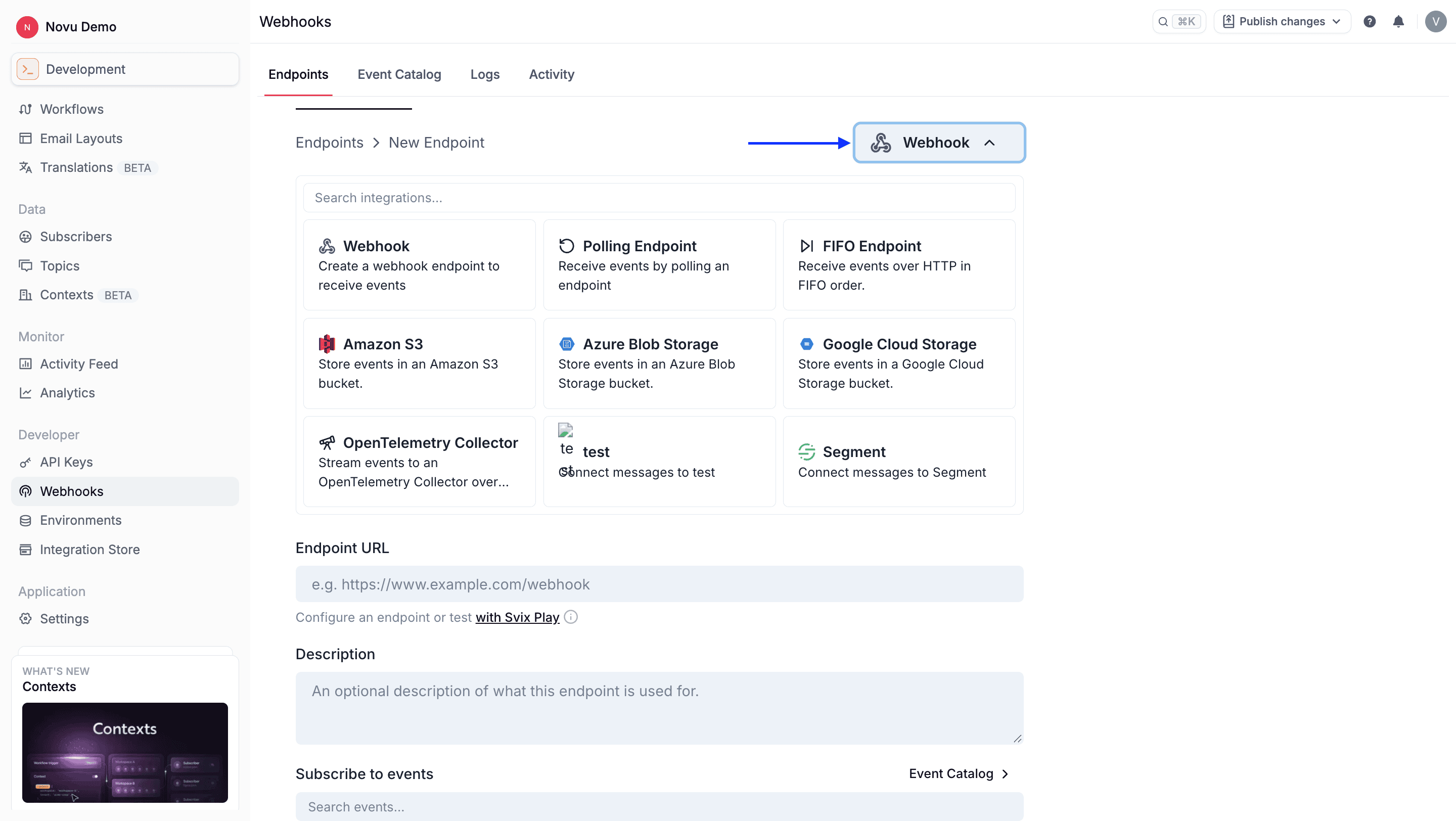
- Configure the endpoint:
- For Webhook endpoints, enter the HTTPS URL where you want to receive the payload. You can use tools like Webhook.site or RequestBin to generate a temporary URL for testing.
- For connector endpoints (such as BigQuery, S3, SQS, or Segment), enter the connector-specific configuration, table schema (for warehouse connectors), and transformation code. See the webhook connectors guide for details.
- In the Description field, enter a description to identify this webhook.
- Next, select the specific event types you want this endpoint to subscribe to.
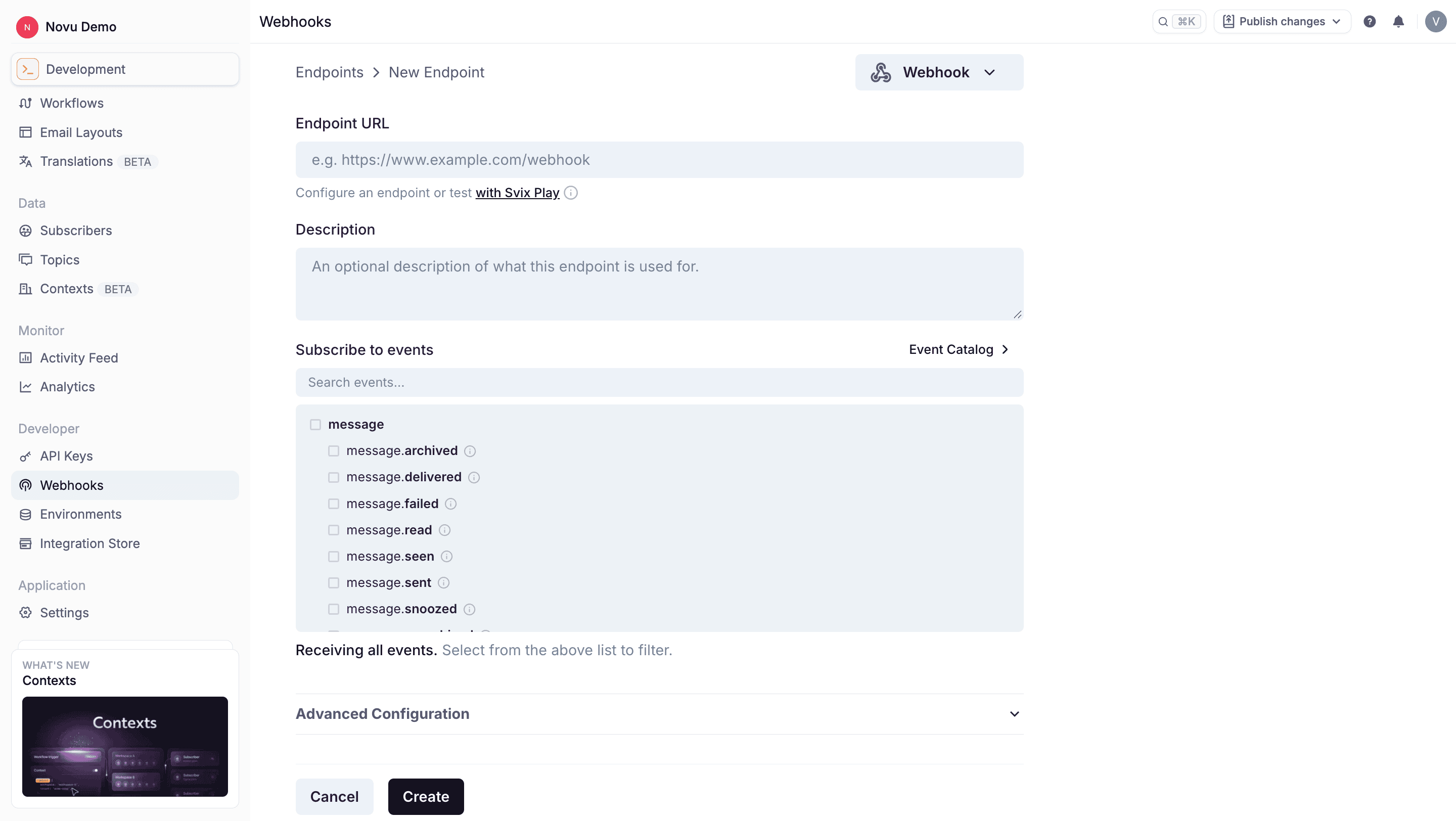
- (Optional) Configure advanced settings for rate limits, transformations, and custom headers.
- Click Create.
For frameworks that enable CSRF protection disable them and also verify the signature and timestamp when processing them.
Advanced configuration
When adding or editing an endpoint, you can utilize the advanced configuration option to fine-tune how Novu communicates with your server.- Rate limiting (Throttling): You can configure rate limits to effectively throttle the webhooks, ensuring Novu only sends a specific number of requests per second.
- Custom headers: Custom headers can only be configured after the endpoint has been created.
- Transformations: Modify a webhook’s payload and redirect it to a different URL before delivery.
Testing endpoints
After you’ve added an endpoint, you can test it to be sure it’s working. To do this:- Click on the endpoint you want to test.
- Click the Testing tab.
- Select an event type you want to test with.
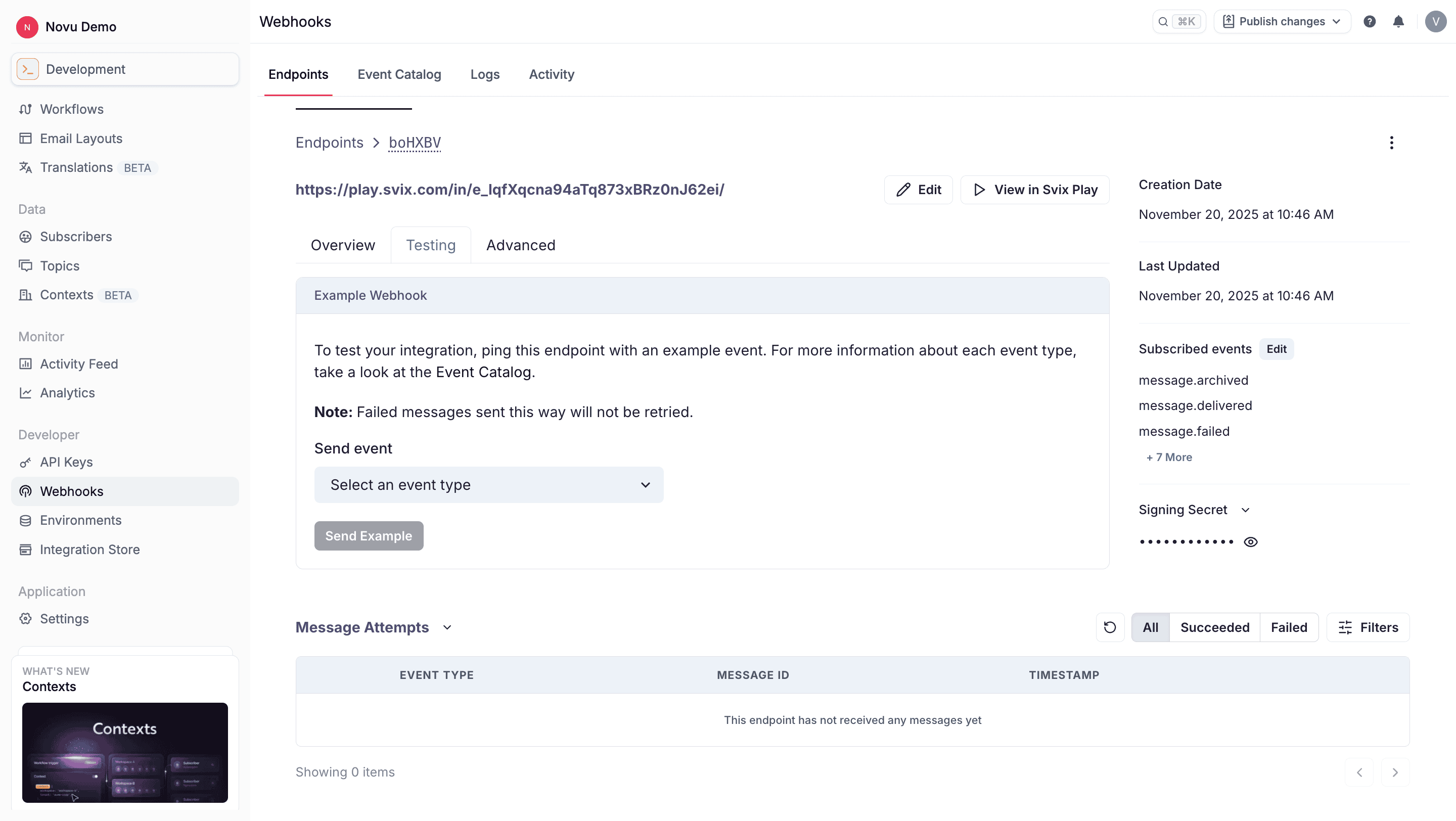
- Click Send Example.
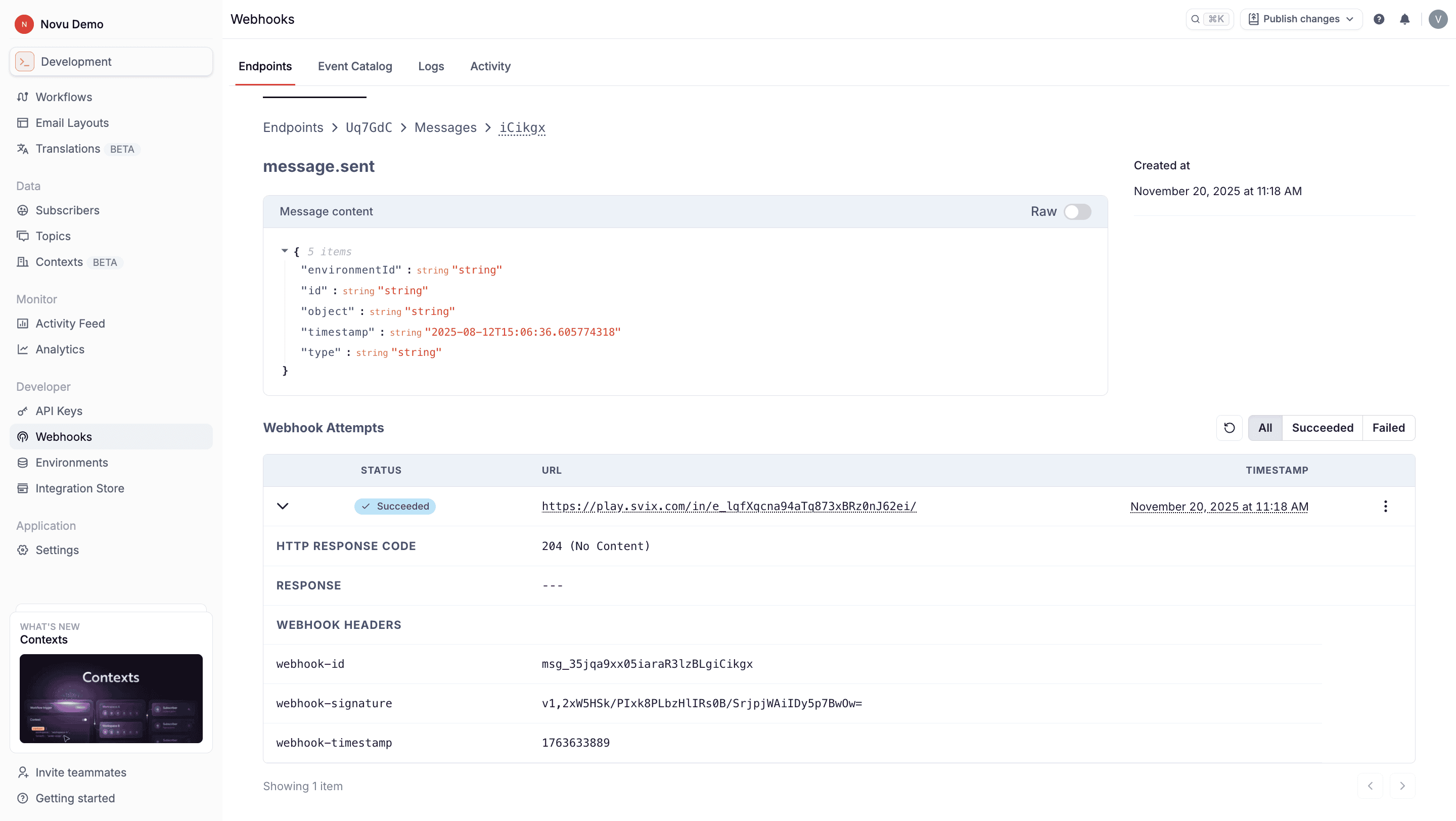
Events you can subscribe to
When you create an endpoint, choose which groups it receives: message delivery, workflow changes, preference updates, and inbound email on a verified domain. Event names and payload fields are on the event types page. The Event Catalog on the Webhooks page is generated from the same schemas Novu sends.Verifying your webhooks signatures
Verify webhook signatures so you know the request came from Novu and not a malicious actor. Read the raw request body, before your framework parses it, and check it with the endpoint signing secret. Novu signs webhook requests so you can verify that payloads were sent by Novu. Official libraries are available for verifying signatures.Recovery and resending failed messages
When your service experiences downtime or your endpoint is misconfigured, you can replay failed messages once you are back online.Delivery attempts
When a webhook delivery fails, Novu treats any non-2xx response, or no response within 15 seconds, as a failure and retries using exponential backoff. Each message is attempted based on the following schedule, where each period is started following the failure of the preceding attempt:- Immediately
- 5 seconds
- 5 minutes
- 30 minutes
- 2 hours
- 5 hours
- 10 hours
- 10 hours (in addition to the previous)
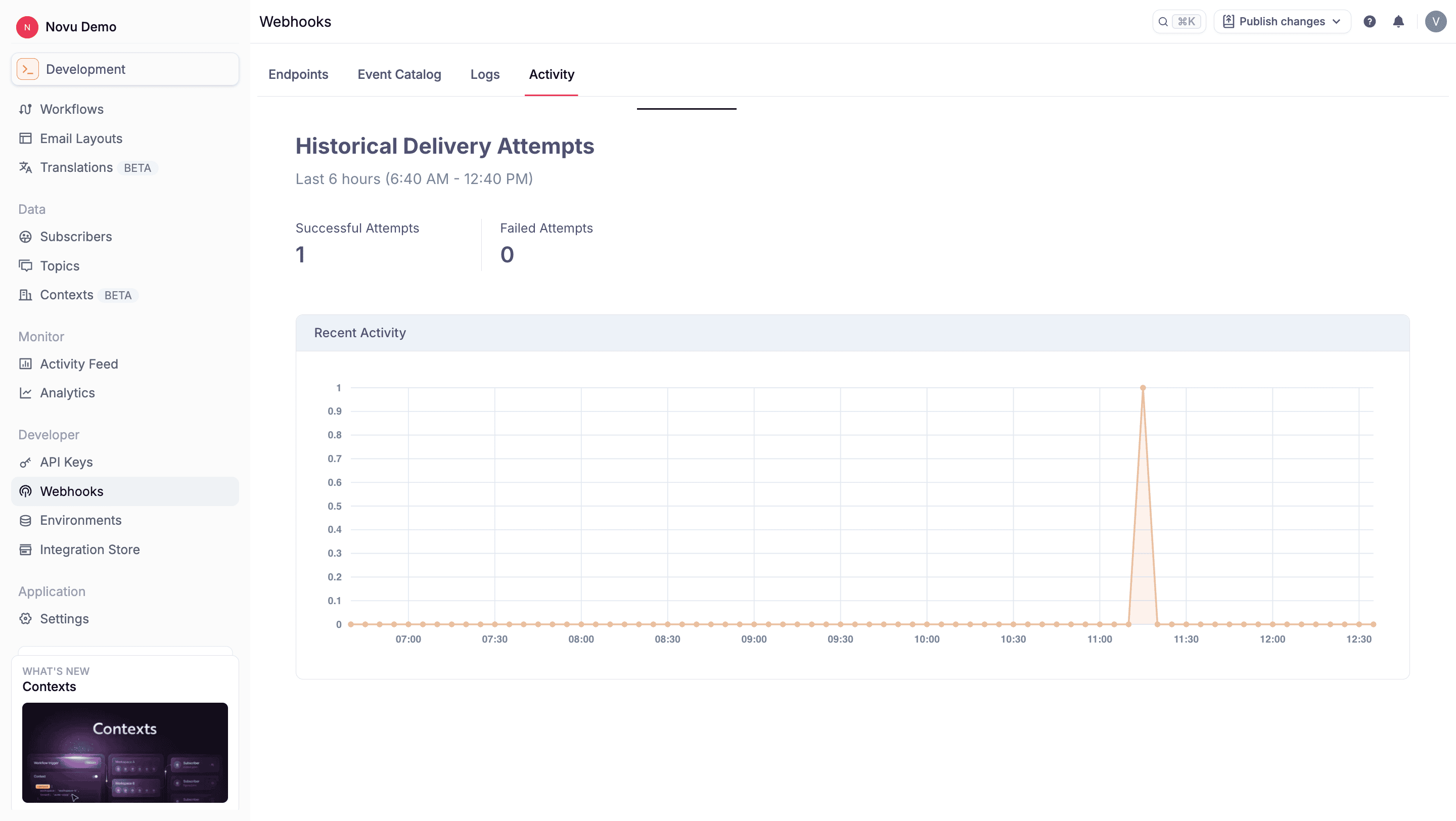
Resend a single failed event
To resend an individual event:- Click the Logs tab and find the failed message you want to replay.
- Under the Webhook Attempts section, Click the (…) icon
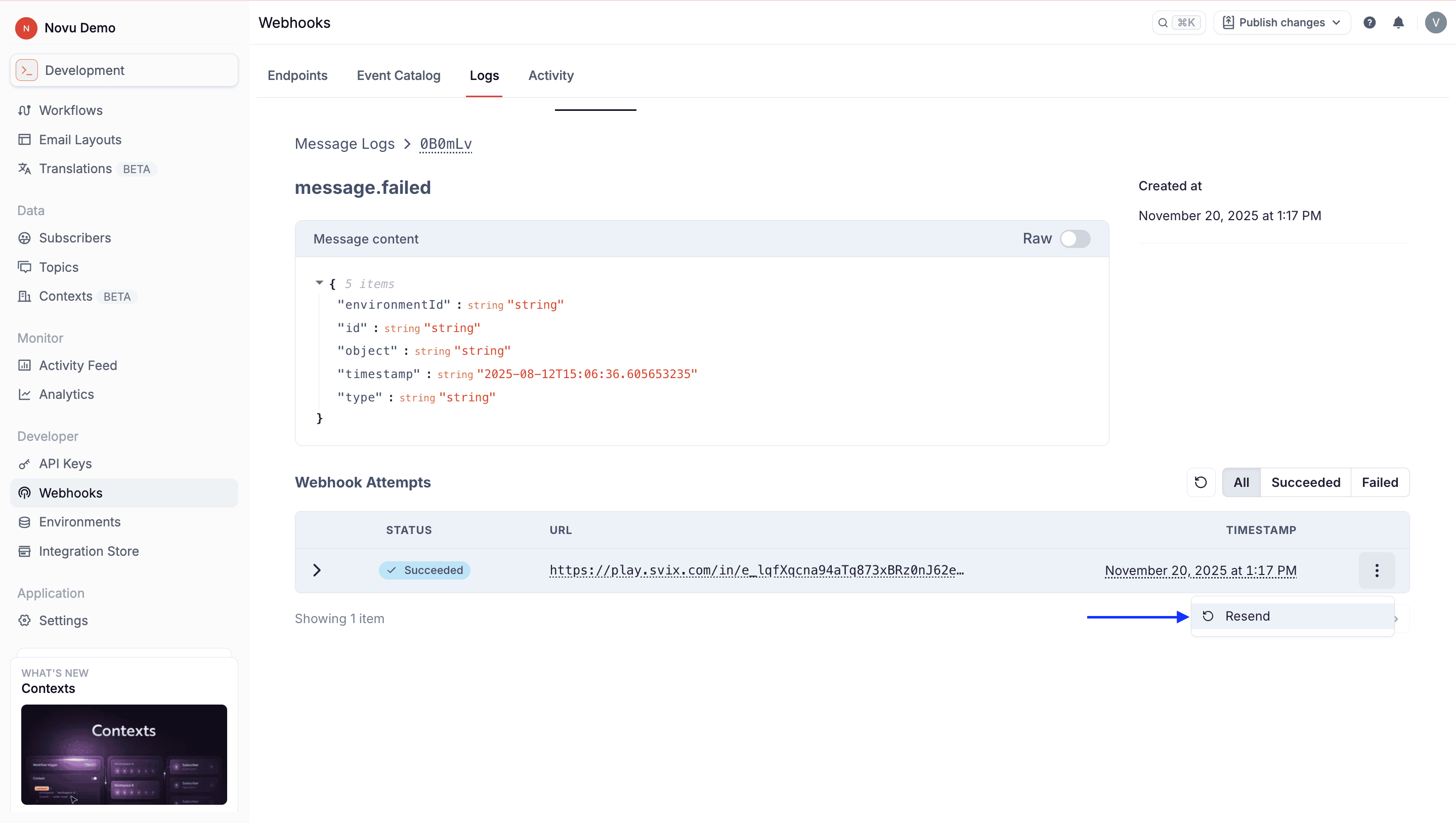
- Click Resend to attempt delivery again.
Recover all failed messages
This operation causes all failed messages to a particular endpoint to be resent. To do this:- Click on the endpoint from the Endpoints tab.
- Click the (…) icon.
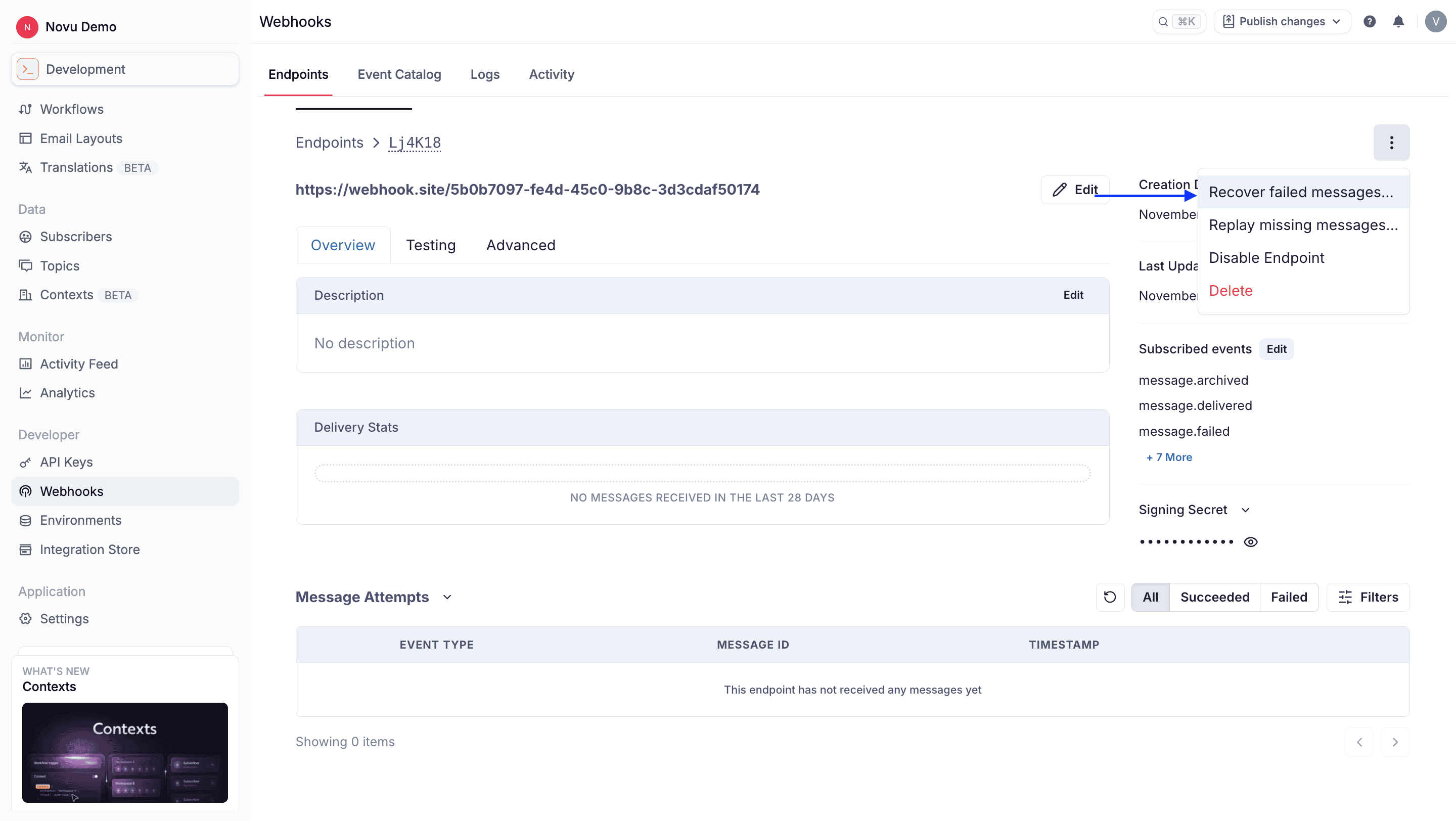
- Click Recover failed messages.
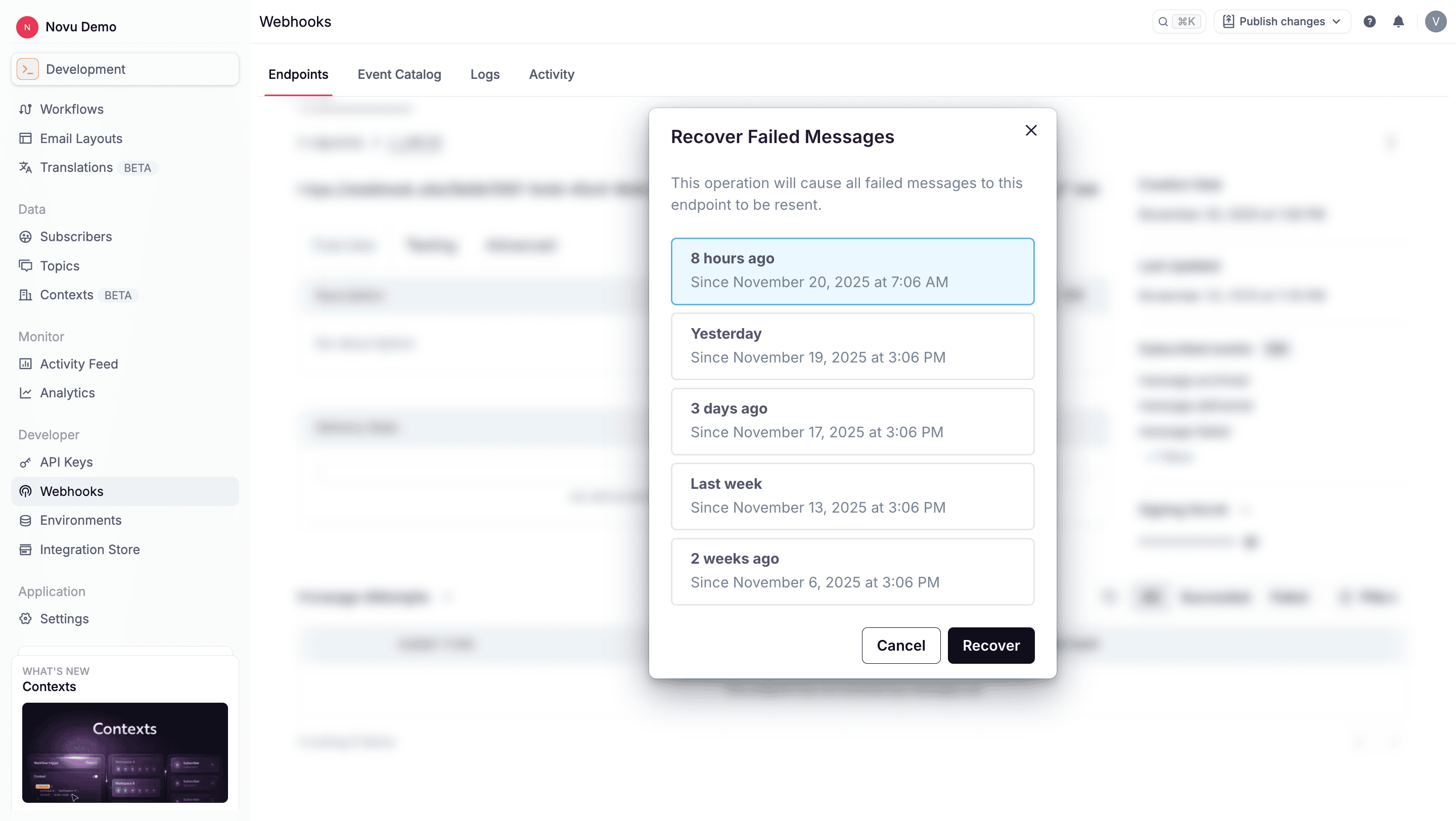
- On the menu, select a time window to recover all failed messages from that period. For example, you can recover all fialed messages in the last 8 hours.
Replay missing messages
This operation causes all messages that were never attempted for a particular endpoint to be resent. To do this:- Click on the endpoint from the Endpoints tab.
- Click the (…) icon.
- Click Replay missing messages.
- On the menu, select a time window to replay all failed messages from that period. For example, you can replay all missing messages from the last 8 hours that were never attempted.
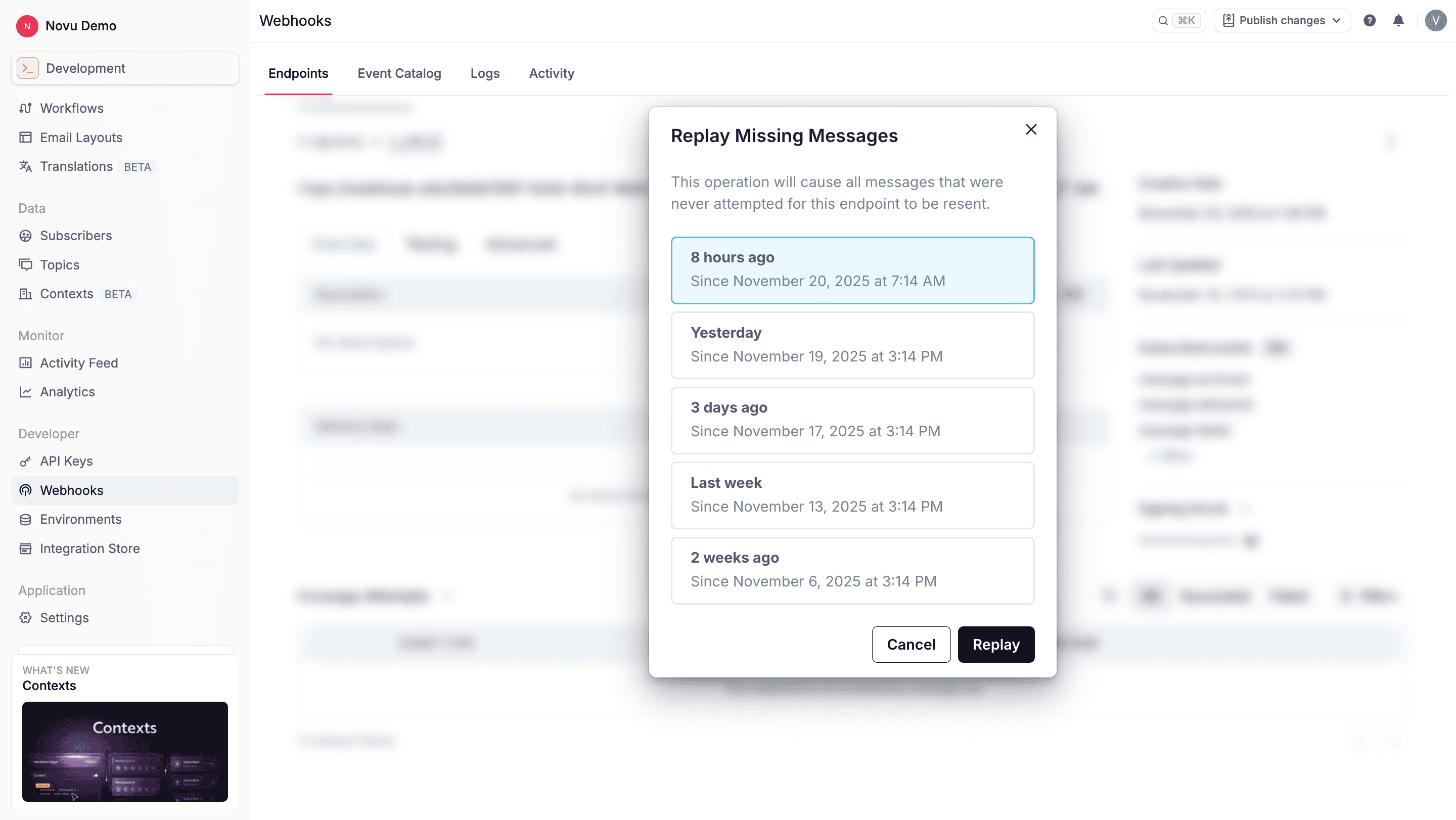
Managing webhooks endpoints
Enable or disable an endpoint
Endpoints can be manually enabled or disabled at any time. Novu also automatically disables an endpoint when all deliveries fail for 5 consecutive days. To enable or disable an endpoint:- Go to the webhook page of the Novu dashboard.
- Find the endpoint you want to enable or disable from the list.
- Click the (…) icon.
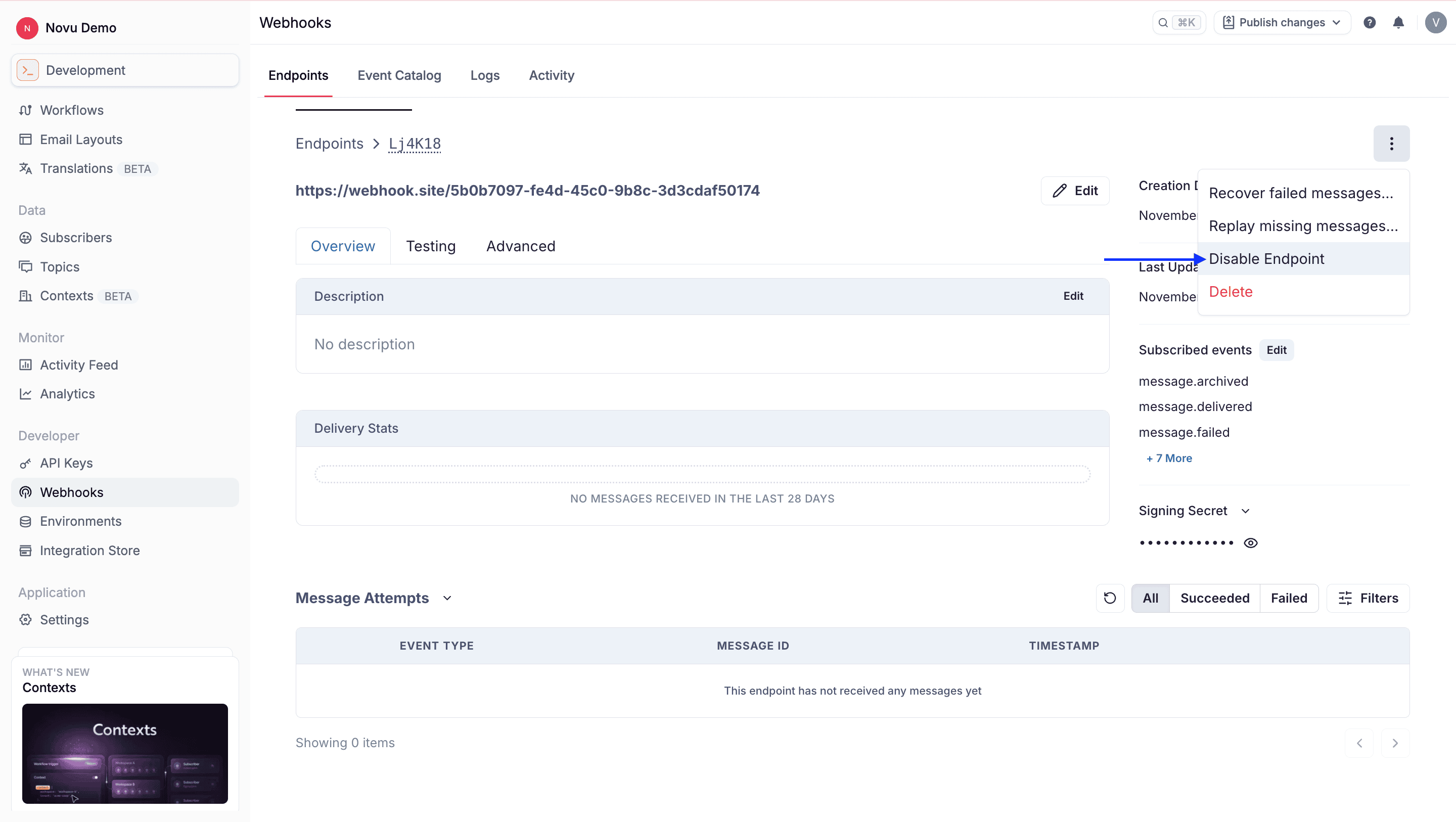
- Click Disable Endpoint or Enable Endpoint.
Delete an endpoint
Deleting an endpoint immediately stops all future delivery attempts and removes the configuration from your account. This action is permanent. To delete an endpoint:- Go to the webhook page of the Novu dashboard.
- Find the endpoint you want to enable or disable from the list.
- Click the (…) icon.
- Click Delete.
Troubleshooting
There are some common reasons why your webhook endpoint is failing:Not using the raw payload body
Using different implementations to convert JSON payloads into strings can produce different string representations of the JSON object, which can lead to discrepancies when verifying the signature. Verify the payload exactly as it was sent, byte-for-byte or string-for-string, to ensure accurate verification.Sending the wrong response codes
When Novu receives a response with a 2xx status code, it is interpreted as a successful delivery even regardless of the response payload. Make sure to use the right response status codes so Novu knows when messages are supposed to succeed or fail.Responses timing out
Novu considers all messages that fails to send a response within 15 seconds as a failed message. For cases where your endpoint is processing complicated workflows, you can have your endpoint receive the message and add it to a queue to be processed asynchronously to avoid getting timed out.Frequently asked questions
How do I secure my webhook endpoint?
How do I secure my webhook endpoint?
To secure your webhook endpoint, you should:
- Verify the webhook signature using the official verification library
- Use HTTPS for your endpoint URL
- Implement rate limiting to prevent abuse
- Keep your webhook secret secure and rotate it periodically
How can I test webhooks locally?
How can I test webhooks locally?
To test webhooks locally, you can use a service like ngrok or localtunnel to expose your local server to the internet. Alternatively, you can use webhook testing services like Webhook.site or RequestBin to inspect webhook payloads.