

Conversation lifecycle
Every agent conversation follows the same state machine, regardless of agent type: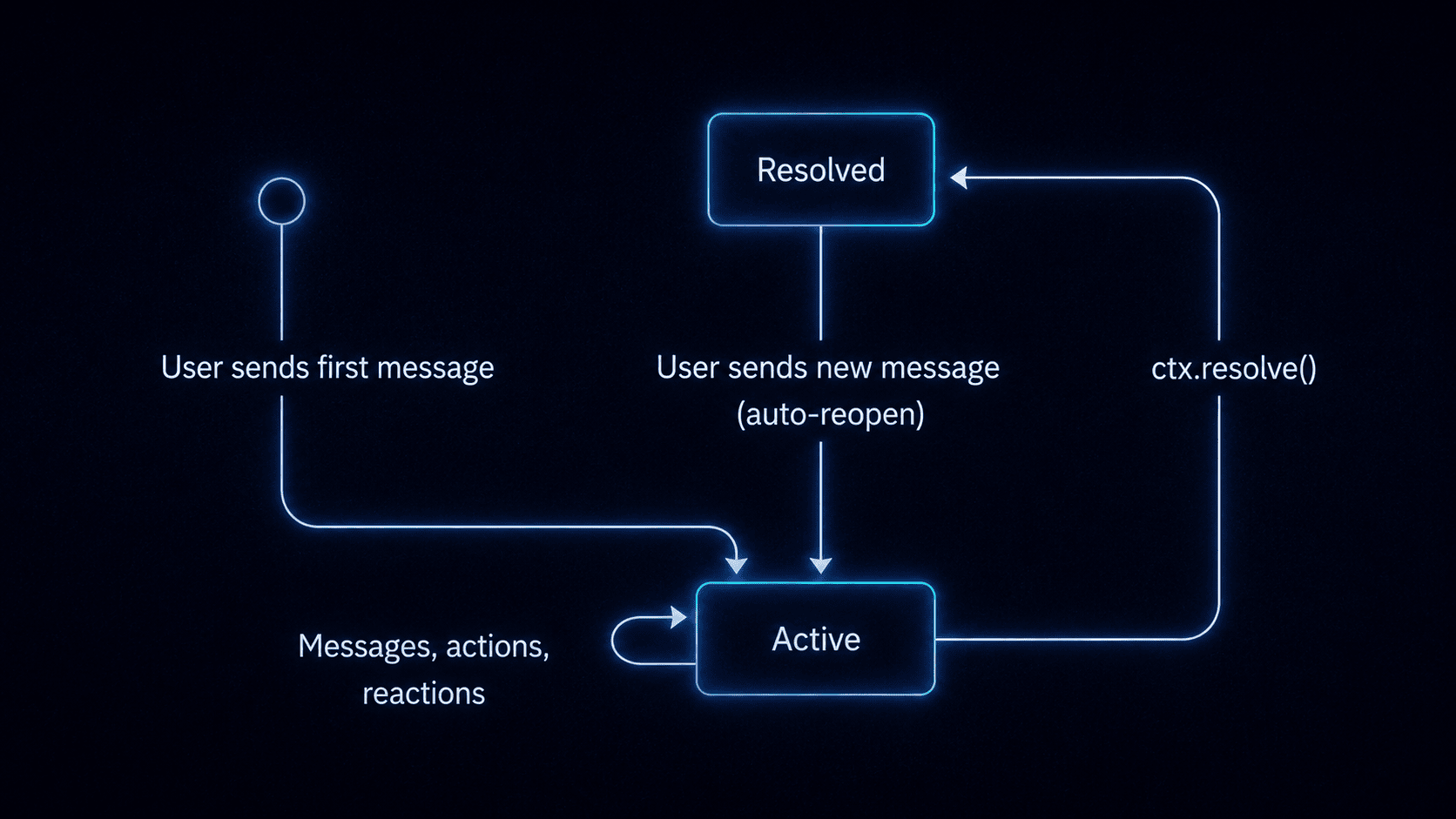
Agent conversation lifecycle states: Active, Resolved, and Reopened.
What the dashboard shows
Navigate to your agent’s detail page to see all conversations, their status, and a complete timeline of activity.- Conversation list: all conversations for the agent, with status (active / resolved), last message preview, message count, and last activity timestamp.
- Full message history: every message exchanged between the user and the agent, including rich content (cards, markdown, files).
- Metadata: key-value pairs stored on the conversation. In custom code agents, these are set via
ctx.metadata.set(). In managed agents, the platform may store internal state. - Signal activity: a log of signals fired during the conversation (metadata changes, workflow triggers, resolve events). This applies to custom code agents that use signals.
- Tool use activity: for managed agents, the dashboard shows which tools the agent called during each turn, including built-in tools and MCP servers.
- Participant details: which subscribers and platform users are part of each conversation, with identity resolution status.
- Platform context: which provider and thread the conversation is happening on.
Inspect conversations from an AI tool
If you have the Novu MCP server connected, you can list and debug conversations without opening the dashboard:- Call
get_agentsand copy the agent’s identifier (slug). - Call
get_conversationswith that slug asagentId. - Call
get_conversation_activitieswith aconv_*identifier to inspect the timeline (messages, approvals, MCP connection rows).
mcp.novu.co.
Supported platforms
Both managed agents and custom code agents support the same live channels. Capability details (typing, plan cards, buttons, approvals, edits) live in one place:- Channels overview (full matrix)
- Slack · Microsoft Teams · WhatsApp · Telegram · Email · Web Chat
Platform capabilities vary. For example, typing indicators and message edits are unavailable on email, and outbound file attachments are supported on Slack and Microsoft Teams only today.