

Capabilities
Full matrix: Channels overview.
Examples
Inbound thread
A user @mentions the agent in a thread. Novu adds an eyes reaction, shows typing and a plan card while the agent runs tools, then replies in the same thread with optional action buttons.Tool approval
When a tool is gated, Slack shows a native approval block (Deny, Approve once, Always allow this tool). The handler resumes after the user selects an option.Create a Slack app
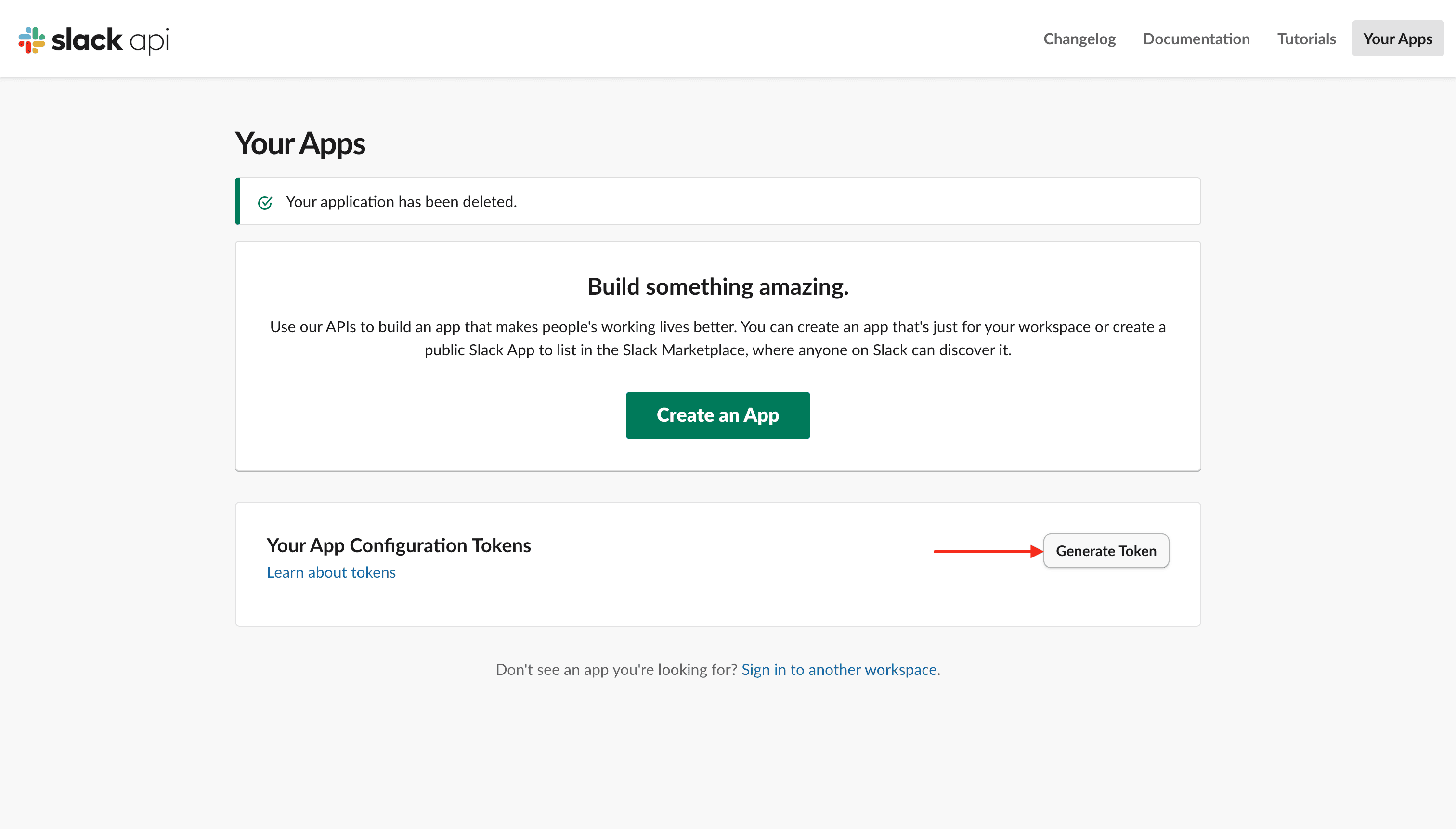
When the dashboard or CLI asks for a Slack App Configuration Token:- Open Slack API apps.
- Under Your App Configuration Tokens, click Generate Token.
- Select your workspace and click Generate.
- Copy the token (starts with
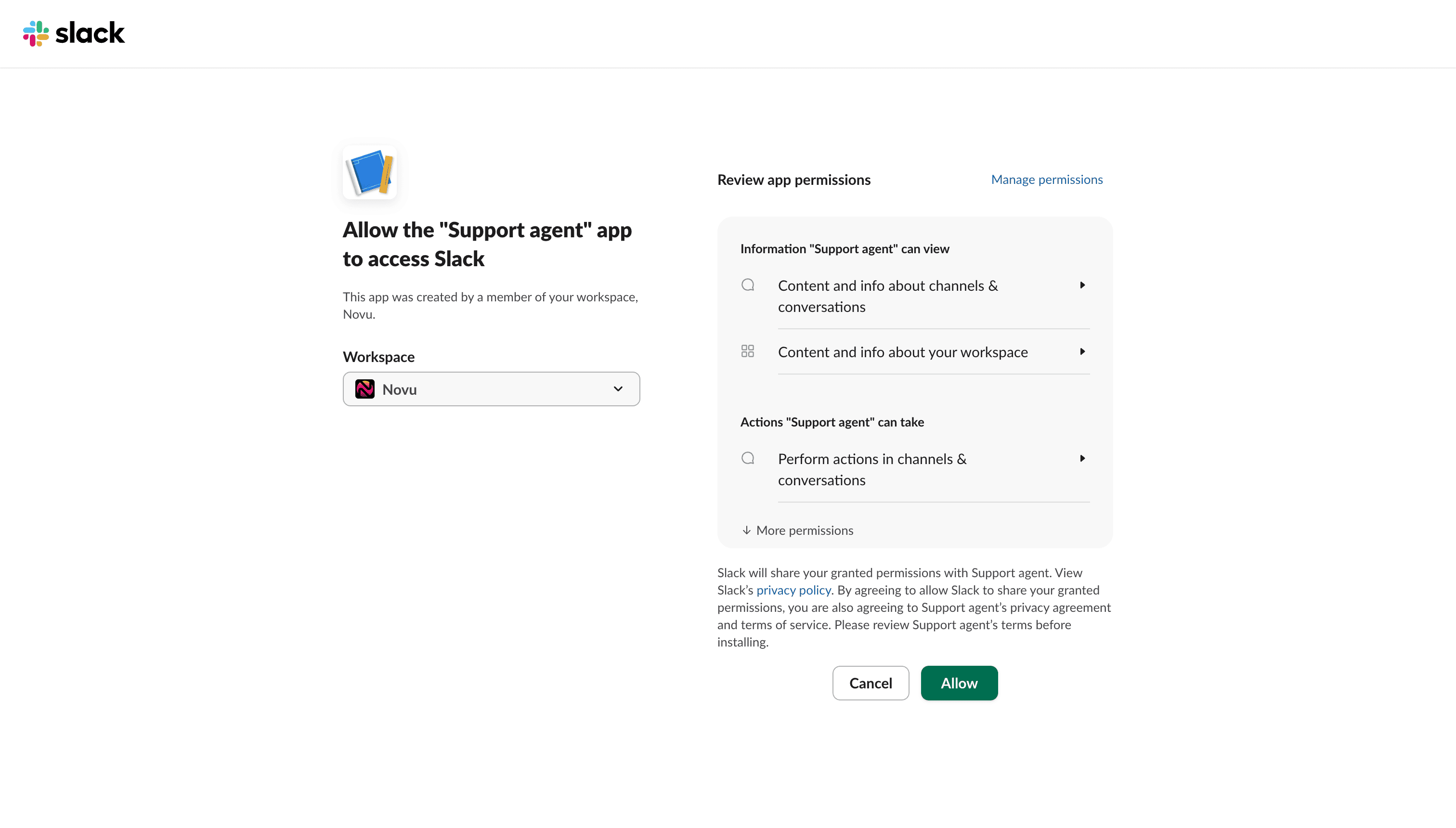
xoxe.xoxp-) and paste it into Novu or the CLI. - Finish the install / Allow flow in Slack.
Distribute to other workspaces
A Slack app only works in the workspace where it was created. Users in any other workspace are blocked when they click your connect button until you enable Public Distribution.- Open your app in Slack API apps.
- Go to Manage Distribution.
- Complete the checklist and click Activate Public Distribution.
Setup
Connect component
UseSlackConnectButton from @novu/react so end users can install the Slack app and link it to your agent from your product UI. Render it on an authenticated page and pass the signed-in user’s id as subscriberId. See Connect components in production.
Related
Reply
Plain text, markdown, and interactive cards.
Typing indicator
Custom status text while the handler runs.
Tool approval
Approve / Deny before tools execute.
Edit sent messages
Update a sent message in place.
Connect components
SlackConnectButton props and appearance.