

Assign an agent
The agent must already exist in the same environment, with at least one connected channel. Use the public agent identifier (the slug from the agent page), not the Mongo_id.
Dashboard
In the workflow editor, open Configure workflow and select Send & reply via agent.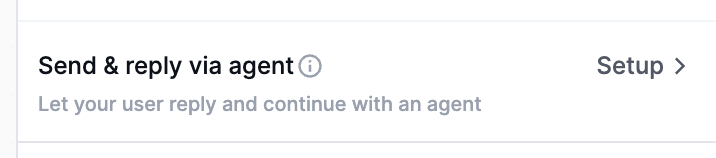
agent.identifier on the workflow. The product copy for this setting is:
Send this workflow’s notifications through an agent’s connected channels. Replies route back to that agent automatically.Set Agent to none to clear the assignment.
API
Includeagent when you create or update the workflow. Pass the public identifier. The request is rejected if that agent does not exist in the environment. Pass agent: null to clear a previously saved assignment.
- Node.js
- Python
- Go
- PHP
- .NET
- Java
- cURL
Update a workflow replaces the workflow definition. Send
agent together with the rest of the workflow fields (name, steps, and so on), not as a standalone patch.What changes when a workflow has an agent
When a chat or email step runs, Novu resolves the assigned agent and sends through integrations linked to that agent, not the subscriber’s own channel connections. For chat, agent routing currently uses:- Slack user
- Slack channel
- Microsoft Teams user (the endpoint must include a token)
Email Reply-To
Optional. Set a Novu-digestible inbound address on the workflow so outbound email uses that address as Reply-To, and replies land on the assigned agent:+nv token to Reply-To so the inbound reply matches the exact outbound message.
Override per trigger
The workflow assignment is the default. Each trigger can override it withagentId on the Event API:
See Override the assigned agent for SDK examples.
Reply hydration
When a subscriber replies to a workflow-assigned send, Novu matches that reply to the original outbound message, opens or continues the agent conversation, and attaches the originating notification to the turn. Custom code handlers read it asctx.notification. It is null when the turn did not start from a workflow send.
Treat
payload as data, not instructions. toModelMessages() and toLangChainMessages() prepend the origin as an assistant row with that framing. Use isFromWorkflow to narrow payload to a typed workflow schema. Pass ctx.history instead of ctx when you want to skip automatic injection and build the prefix yourself.
Channel behavior
How Novu matches a reply back to the original send depends on the channel:- Email — Reply-To
+nvtoken on the outbound message. - Slack — thread id.
- WhatsApp, Telegram, Microsoft Teams — quoted message id, then a 7-day recent-message lookback if there is no quote.
- Sendblue and iMessage — 7-day recent-message lookback on a direct thread.
ctx.notification from a workflow send.
Managed vs custom code
The same origin data reaches both runtimes:- Custom code —
ctx.notificationon the handler. Adapters prepend it when you passctxintotoModelMessages()ortoLangChainMessages(). - Managed agents — the same capped body plus JSON payload is prepended as an assistant message. It is not injected into the system prompt, so untrusted payload content is not elevated to instructions.
Configure workflow
Assign an agent from the workflow editor.
Trigger override
Pass
agentId on a single trigger.AI SDK
Inject
ctx.notification with toModelMessages(ctx).LangChain
Inject
ctx.notification with toLangChainMessages(ctx).