

Setting up Clickatell
1
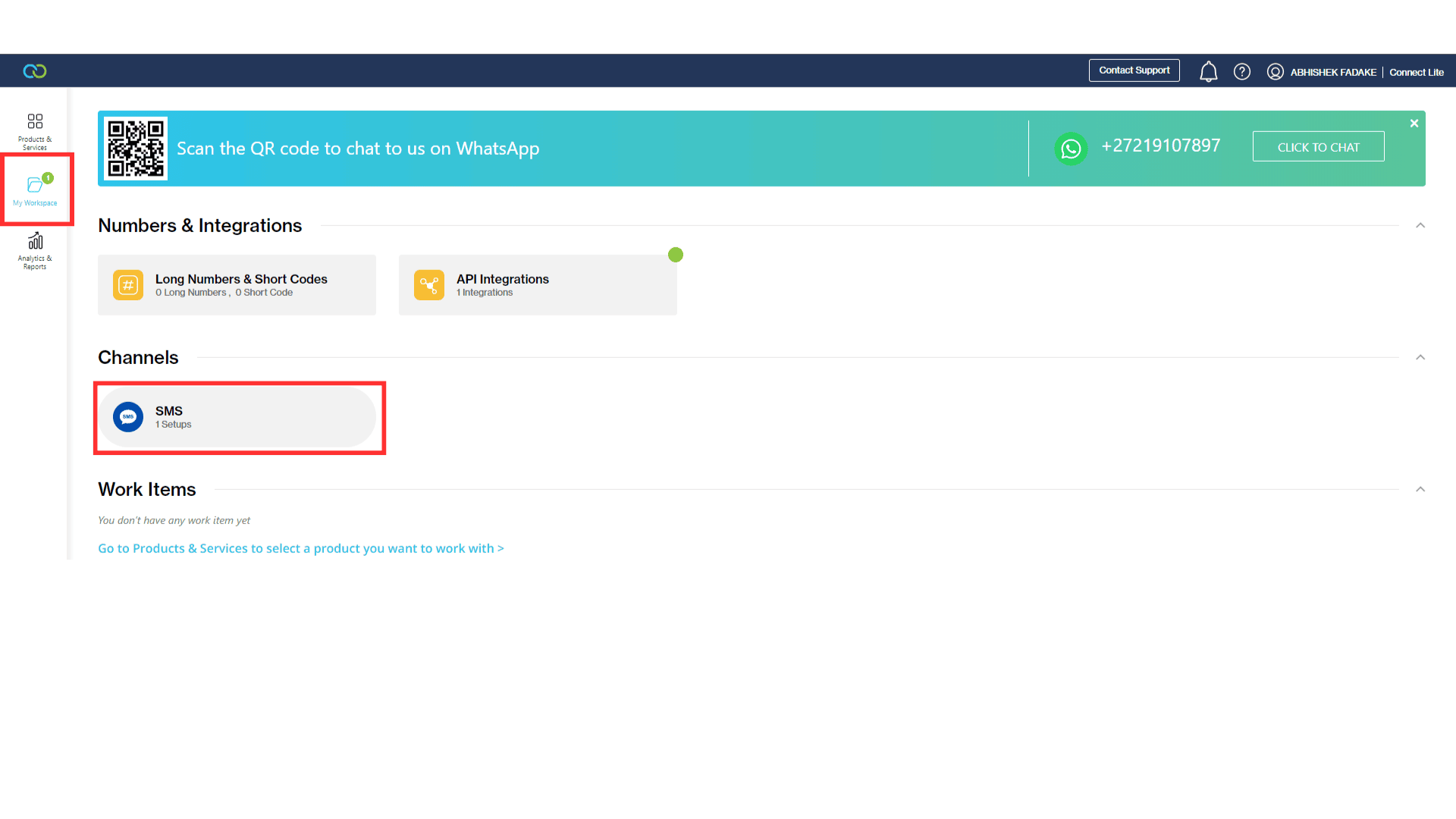
2
Set up SMS API
- Click on the
New SMS Setup
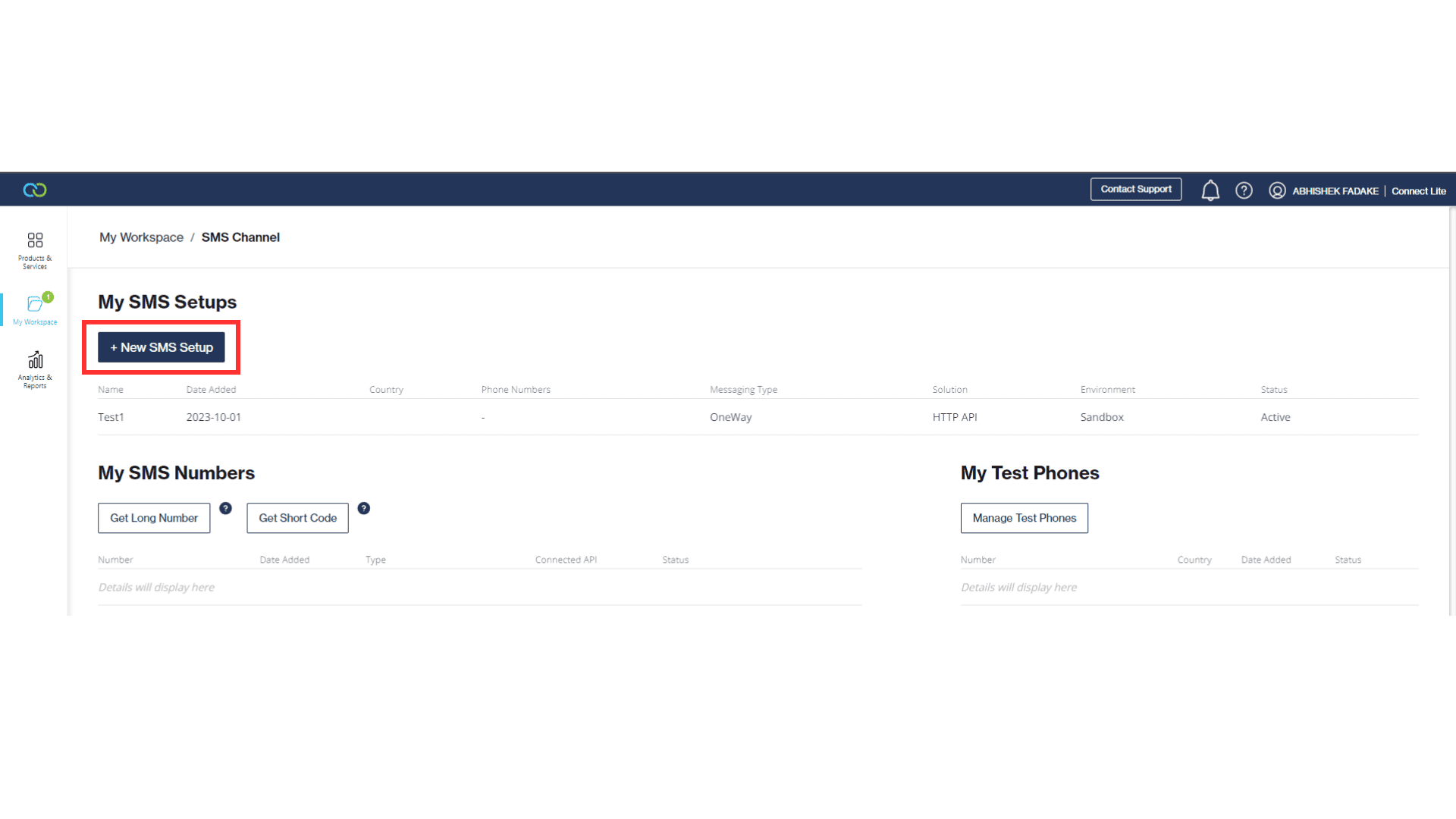
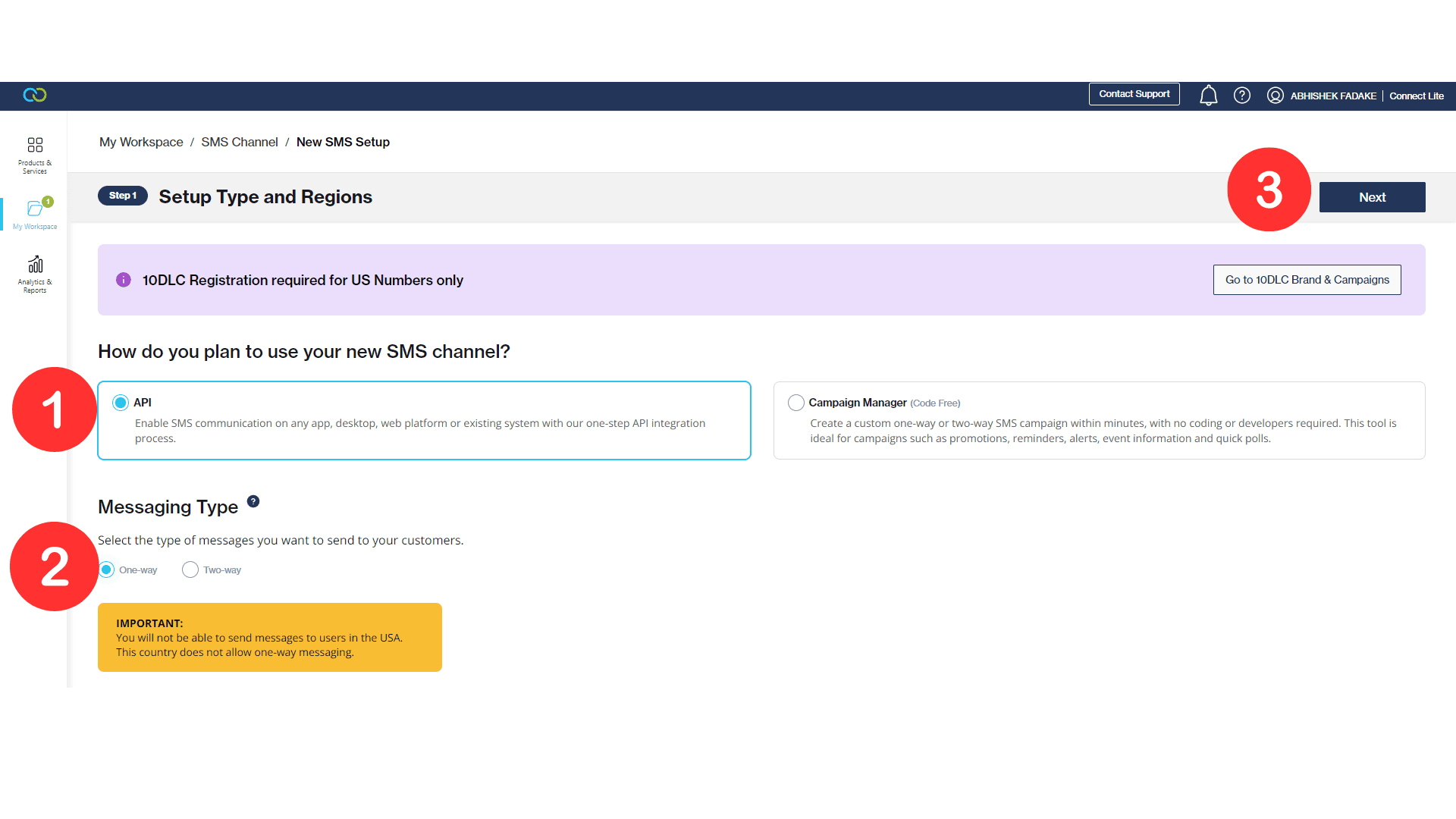
- Select
APIthenMessaging Typeand click Next
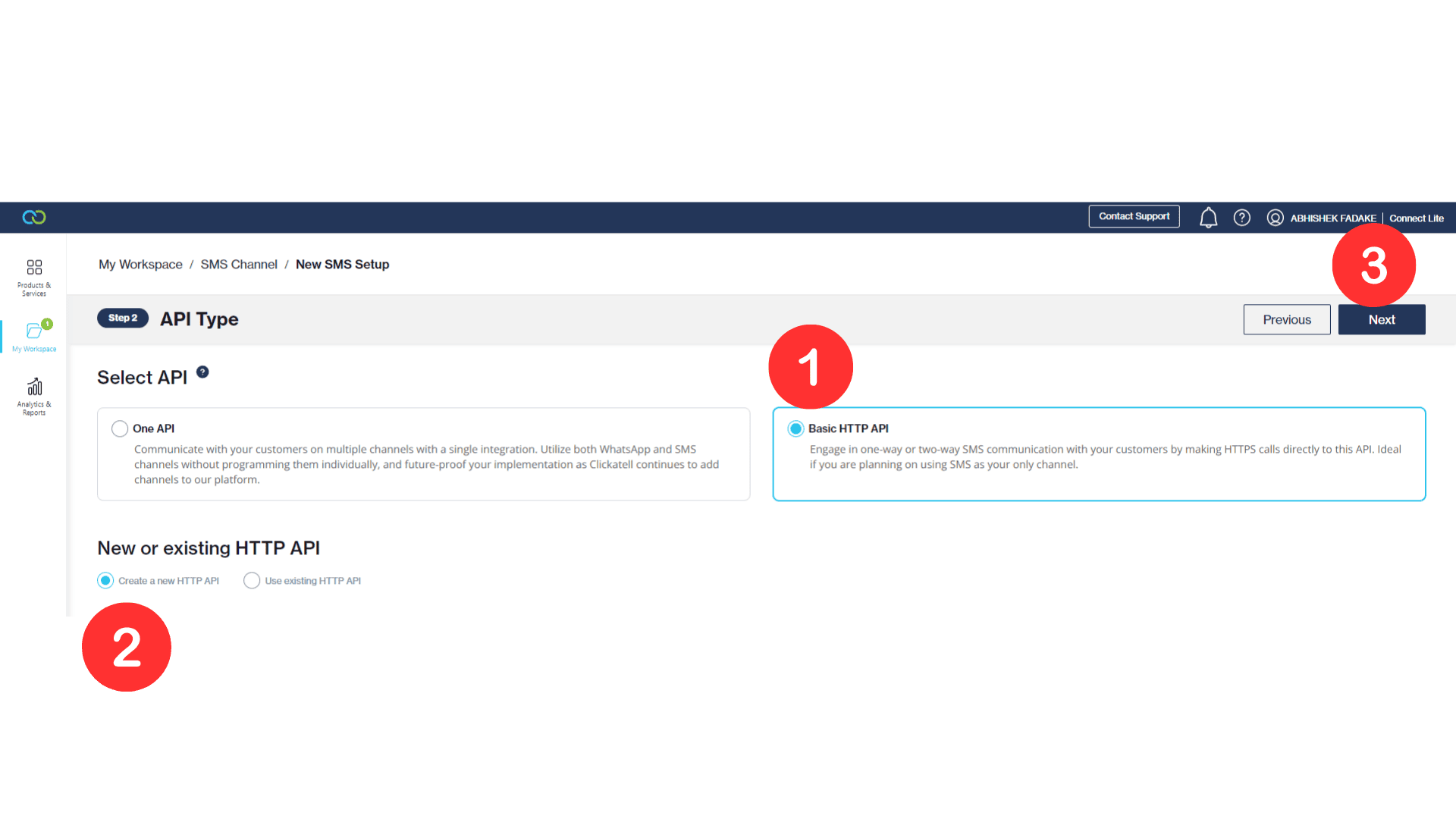
- Select
Basic HTTP APIthencreate a new HTTP APIand click Next
3
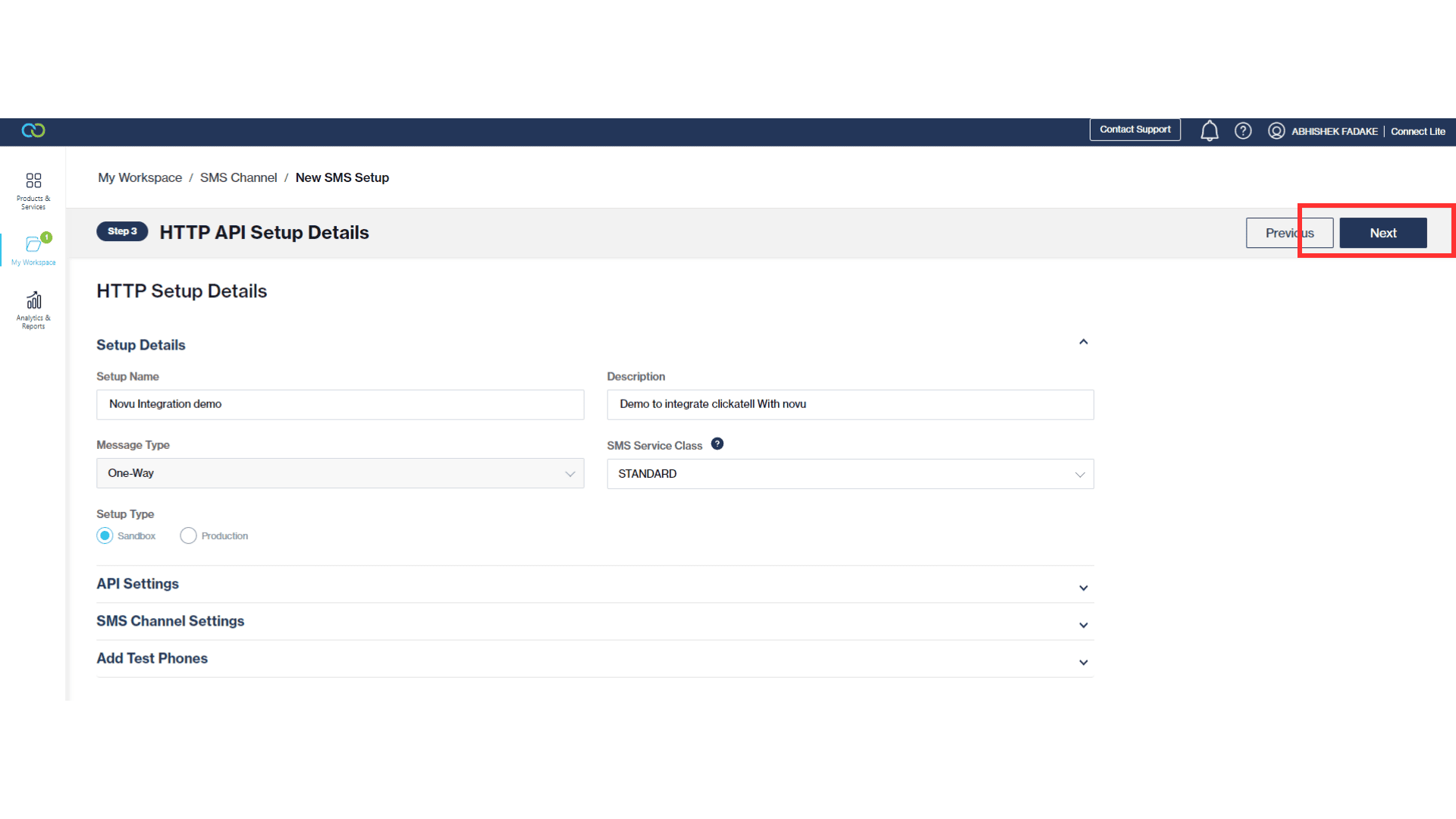
Configure API Settings
- Fill in all the required details and click Next
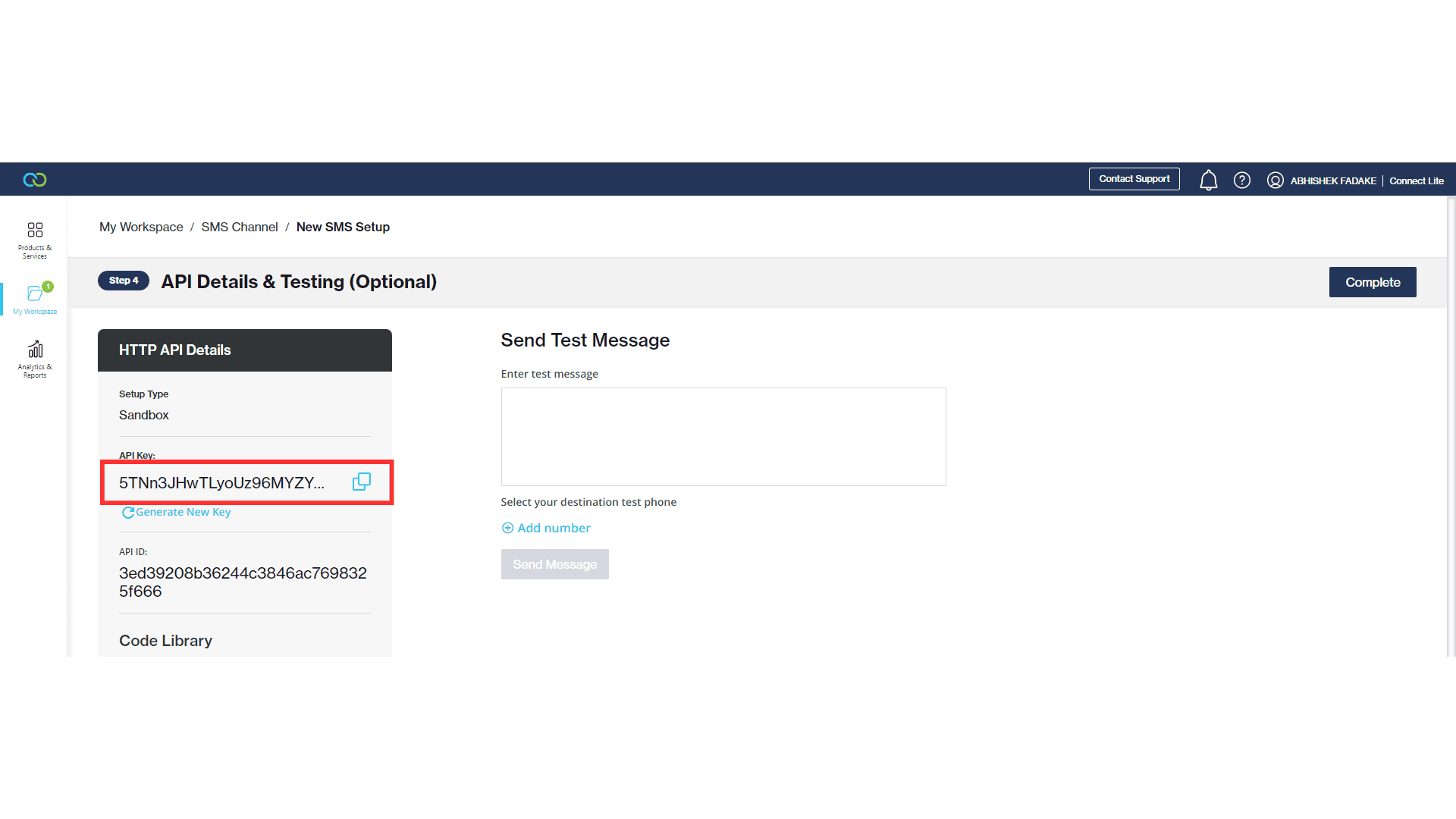
- Copy the API key and click complete
4
Connect Clickatell to Novu
- Visit the Integrations page on Novu
- Click the “Add a provider” button
- Locate Clickatell under the SMS section and click on the Connect button
- Enter your Clickatell API Key
- Click on the
Disabledbutton and mark it asActive - Click on the Connect button